Touch settings
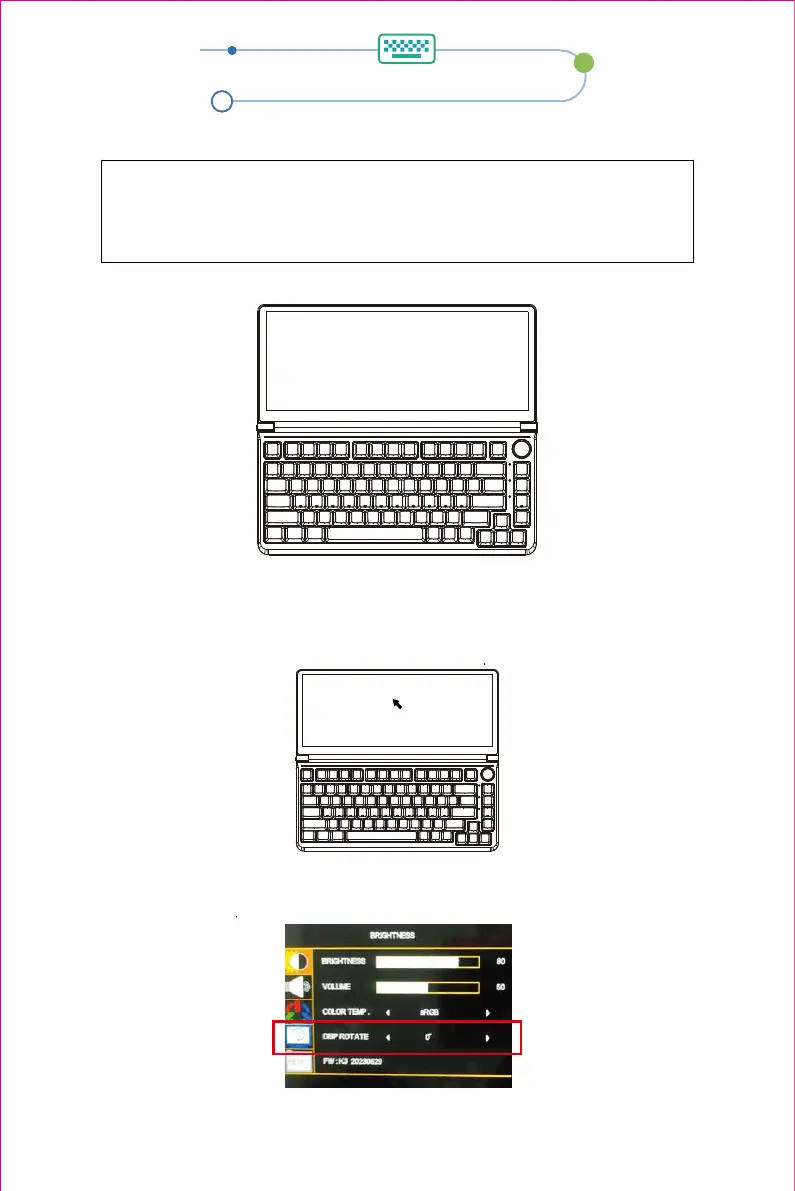
Touch this screen to identify it as the touchscreen
If this is not the Tablet PC screen, press Enter to move to the next screen. To close the tool, press Esc
2.When connected to a MAC operating system computer, when the screen direction has rotation, you need to
correspond to the touch coordinates in the fourth option of the OSD menu to ensure the accuracy of the touch
coordinates.
3.The following text appears on the main screen.
Press ENTER to go to the next screen
Cilck the keyboard screen to complete the settings
Tap this screen with a single finger to identify it as the touchscreen.
If this is not the Tablet PC screen, press Enter to move to the next screen. To close the tool, press Esc.
MAC system computer touch settings
1. Move the mouse cursor to the keyboard screen, touch the coordinate point on the keyboard screen to
complete the settings.
11


 To Next Page