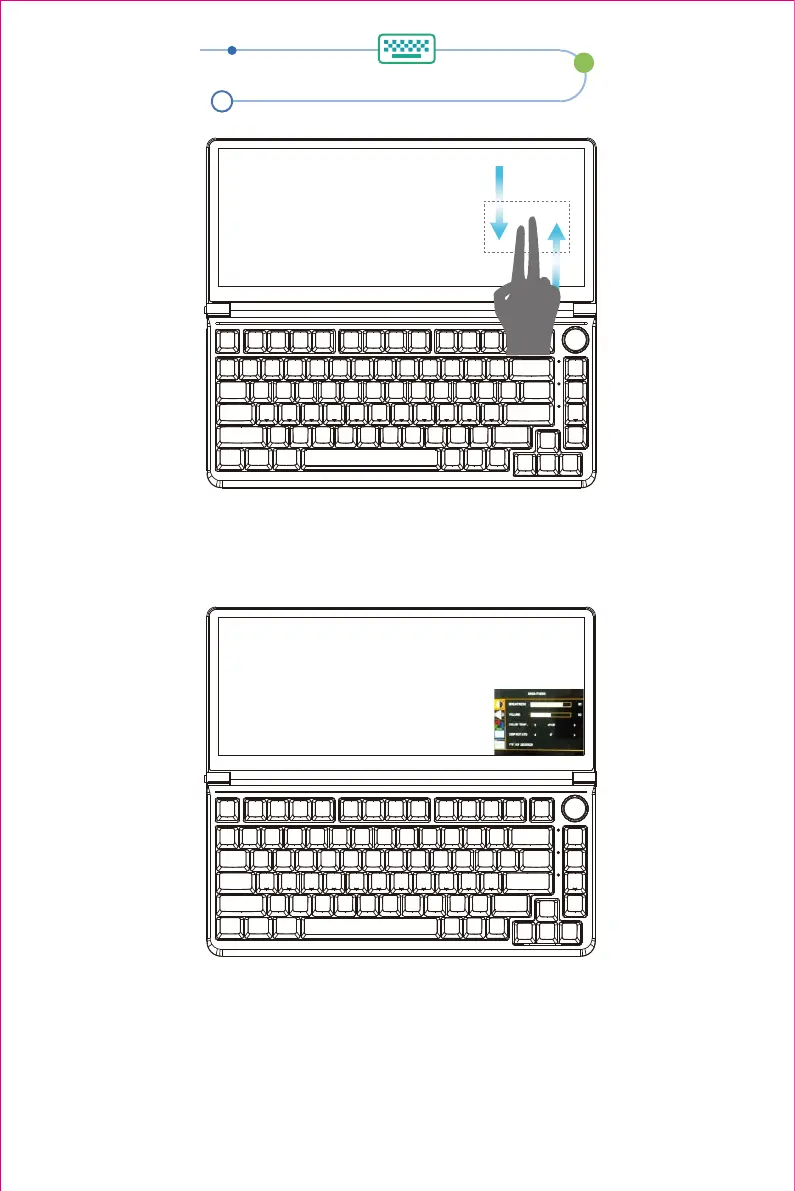
OSD Settings
Note: 1.Pop up the OSD menu: Swipe down with two fingers in the bottom-right corner of the
screen to pop up the OSD menu.
2.To exit the OSD menu: Swipe up with two fingers in the bottom-right corner of the screen
to exit the OSD menu.
1. Screen brightness adjustment.
2. Sound adjustment.
3. Warm, Standard, Cool mode adjustment.
4. MAC OS Touch coordinate adjustment.
5. Restore settings.
12


 To Next Page