Preparing to Copy
2-20
Selecting the Language
Select the language displayed on the touch panel.
The following languages are available.
1
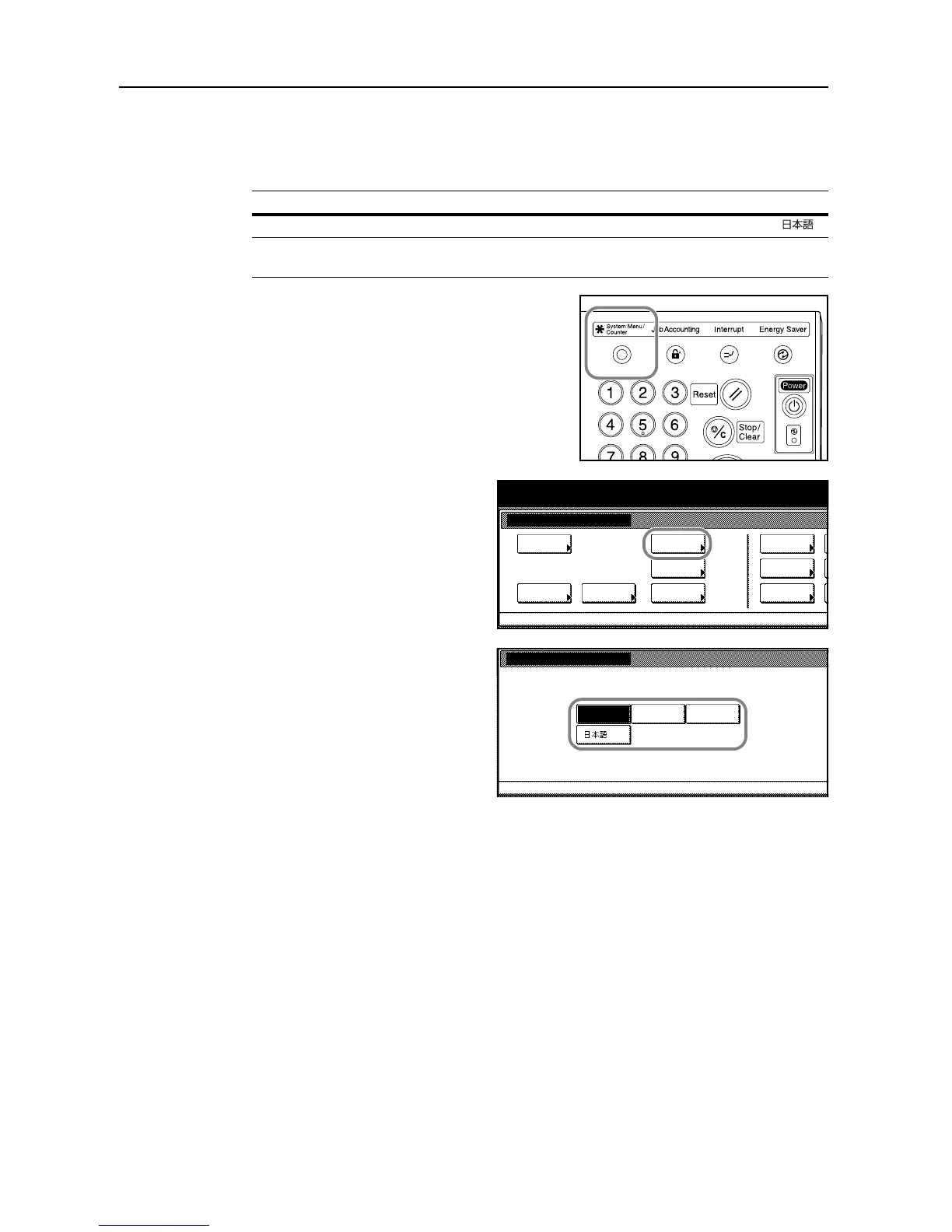
Press the System Menu/Counter key.
2
Press [Language].
3
Press the key for the desired language.
The touch panel language will change
accordingly.
Languages
Inch models English, French (Francais), Spanish (Español) and Japanese ( )
Metric models English, German (Deutsch), French (Français), Spanish (Español) and
Italian (Italiano)
System Menu / Counter
Job
System Menu
Management
BOX
Repor t
Print
Language
MP tr a y
Orig. Size
Registe r
Management
Document
Default
Machine
Default
Copy
Setting
Accounting
System M enu
Language
English Francais
Españ ol





 To Next Page