49
Getting Ready
2
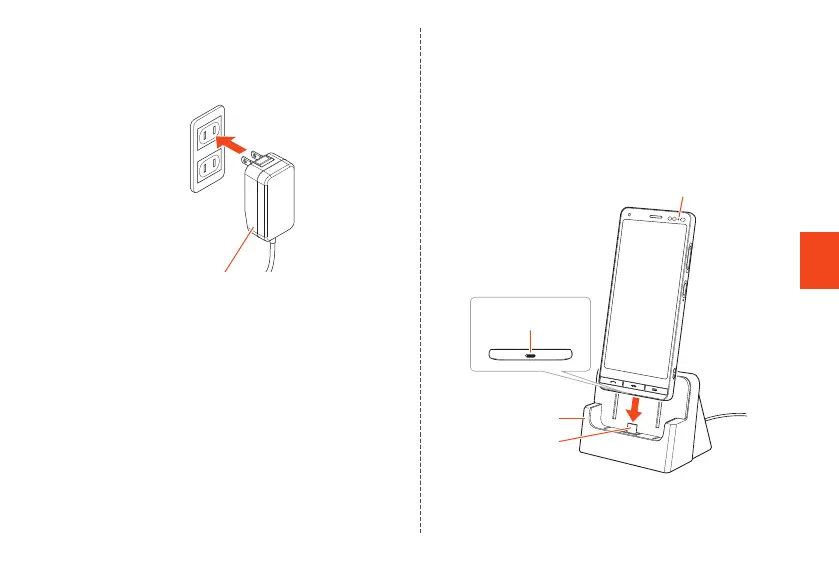
Connect the power plug of Type C
Common AC Adapter 02 (sold separately)
to an outlet (100V to 240V AC).
Type C Common AC Adapter 02
(sold separately)
3
With the product display facing you, hold
the product with the external device port
downward and insert all the way on the
USB plug
Make sure that the charging light turns into red.
When charging is complete, the charging light turns
into green.
Desktop holder
USB plug
Charging light
External
connection terminal
CB70_EN.indb 49 2020/02/07 13:41:15













 To Next Page