50
Getting Ready
4
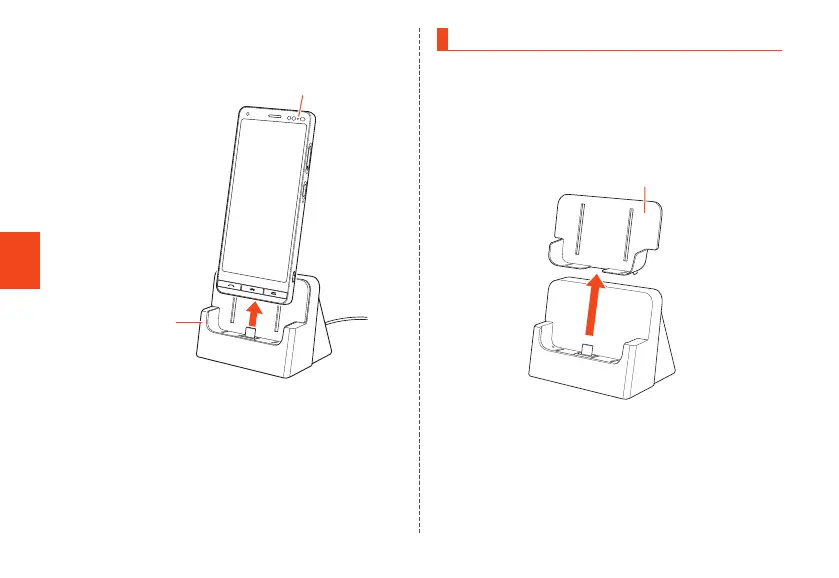
When charging is complete, remove the
product from the desktop holder
Desktop holder
Charging light
5
Remove the power plug of Type C
Common AC Adapter 02 (sold separately)
from the outlet
Cover Adapter
Removing the cover adapter allows you to charge in a
desktop holder with a desktop holder-compatible device
cover (commercially available) still attached. You can
remove the cover adapter as shown below.
• If not using a device cover (commercially available), use
the product with the cover adapter attached.
Cover Adapter
CB70_EN.indb 50 2020/02/07 13:41:15













 To Next Page