Phone Basics 26
Using Swype
1. From a screen where you can enter text, drag down from the top of the screen to open
the Notifications panel, and then touch Choose input method > Swype.
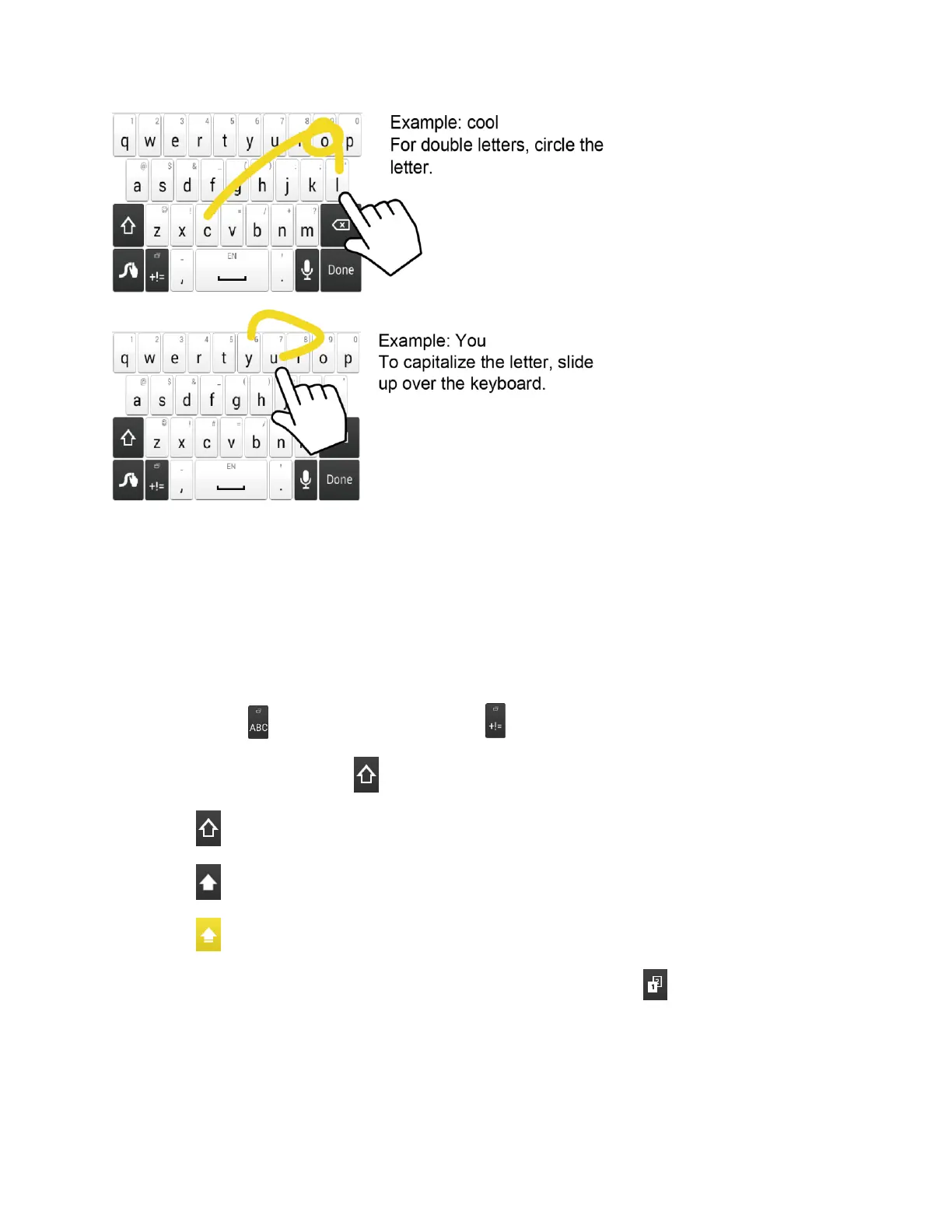
2. Swipe your finger continuously over the letters to form a word. As you swipe over letters,
words matching your pattern display at the top of the Swype keyboard. To enter a word,
lift your finger, or touch a word at the top of the keyboard.
Touch to select ABC mode. Touch to select Number & Symbol mode.
In ABC mode, touch to alter the capitalization:
(Unshifted) to enter all letters in a word lowercase.
(One-character-shifted) to capitalize only the first letter of a word.
(Caps Lock) to enter all letters in a word uppercase.
The Number & Symbol keyboards are in two layers. Touch to display the second
keyboard.
Some keys have alternate characters. In either mode, if a key displays an extra
character on the upper right corner, touch and hold the key to enter the character. Or,











 To Next Page