Contacts 49
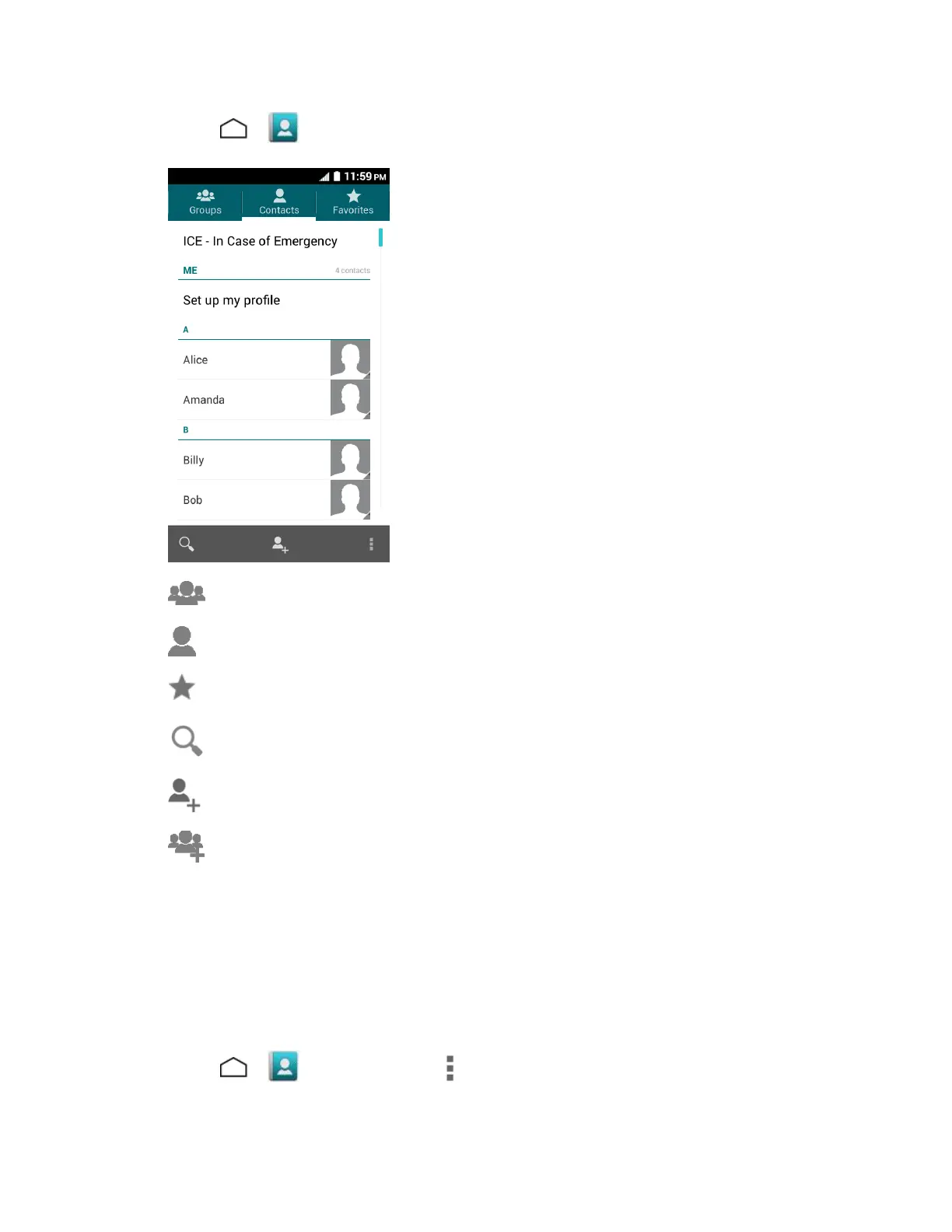
■ Touch > > Contacts tab. You will see the Contacts list
● Groups: Touch to display the group contacts.
● Contacts: Touch to display the individual contacts.
● Favorites: Touch to display your favorite contacts.
● Search: Touch to search a contact.
● Add contact: Touch to add a contact. See Add a Contact.
● Add group: Touch to add a group contact. See Add a Group Contact.
Scroll through the list to view all your contacts. To see a specific entry, scroll to it and touch it.
Tip: If you have a lot of contacts stored, you’ll see a slider on the right when you’re flicking up or
down the list. To go directly to a letter, touch and hold the slider and drag it to a letter.
Contacts List Options
You can access optional features in the Contacts list.
■ Touch > > Contacts tab > to display the main contacts list options.





 To Next Page