EasyManua.ls Logo

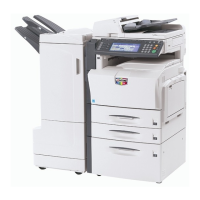
Kyocera KM-C3232E - User Manual

Kyocera KM-C3232E
473 pages
Print Icon
To Next Page IconTo Next Page
Loading...
SERVICE
MANUAL
Published in July 2007
842JL112
2JLSM062
Rev. 2
KM-C2525E
KM-C3225E
KM-C3232E
KM-C4035E

Questions and Answers

  • A
    Angela AndrewsSep 12, 2025
    What to do if Kyocera Printer Accessories shows a paper jam in the Center-Folding Unit?
    • H
      Hayley MartinSep 12, 2025
      If the illustration shown displays on the machine’s operation panel, indicating a paper jam in the conveyor section of the Center-Folding Unit, push the finisher release lever while pulling the finisher out from the machine.
  • J
    Jessica FosterSep 12, 2025
    What to do if Kyocera KM-C3232E Printer Accessories shows a paper jam in the internal tray?
    • P
      pruittericSep 12, 2025
      If the illustration shown displays on the machine’s operation panel, indicating a paper jam in the conveyor section to the internal tray, open the tray C and front cover.
  • D
    donna34Sep 14, 2025
    What to do if Kyocera KM-C3232E shows a paper jam in the Mailbox?
    • R
      Randy ScottSep 14, 2025
      If the illustration shown displays on the machine’s operation panel, indicating a paper jam in the Mailbox, open the mailbox cover.
  • R
    rossmichaelSep 16, 2025
    What to do if Kyocera KM-C3232E Printer Accessories shows a paper jam in the ejection section of the Center-Folding Unit?
    • K
      Karen BrownSep 17, 2025
      If the illustration shown displays on the machine’s operation panel, indicating a paper jam in the ejection section of the Center-Folding Unit, push the folding unit release lever and pull out the folding unit.
  • C
    Charles HarveyNov 18, 2025
    What to do if Kyocera All in One Printer network connection fails?
    • M
      Mr. Ethan TaylorNov 19, 2025
      If a network connection fails, for example, indicated by a Send Error, try the following: * Connect the network cable and properly set up TCP/IP. * Check folder sharing and access permissions in the Folder Properties dialog box. * Enable the SMB protocol setting. * Verify the host name of the destination computer and the name of the shared folder. * Confirm the domain name and domain user name are correct. * Ensure the login password is correct. * If the domain name specified in [Host Name] differs from the one specified in [Login User Name], delete the domain name and a \\ from the name entered in [Login User Name]. * Also, ensure the time setting is the same between the machine, PC, and the domain server. * To configure Windows Firewall, open Control Panel from the Sta...

Kyocera KM-C3232E Specifications

General IconGeneral
TechnologyLaser
Compatible PrintersKyocera KM-C3232E
Color OutputColor
Print Resolution600 x 600 dpi
Monthly Duty Cycle100, 000 pages
Duplex PrintingYes
TypeMultifunction
Print Speed32 ppm
ConnectivityUSB 2.0, Ethernet
Supported Media SizesA4, A5, Letter, Legal
FunctionPrint, Copy, Scan

Related product manuals