5-4
Operation on the Machine > Loading Originals
• Carbon paper
• Crumpled paper
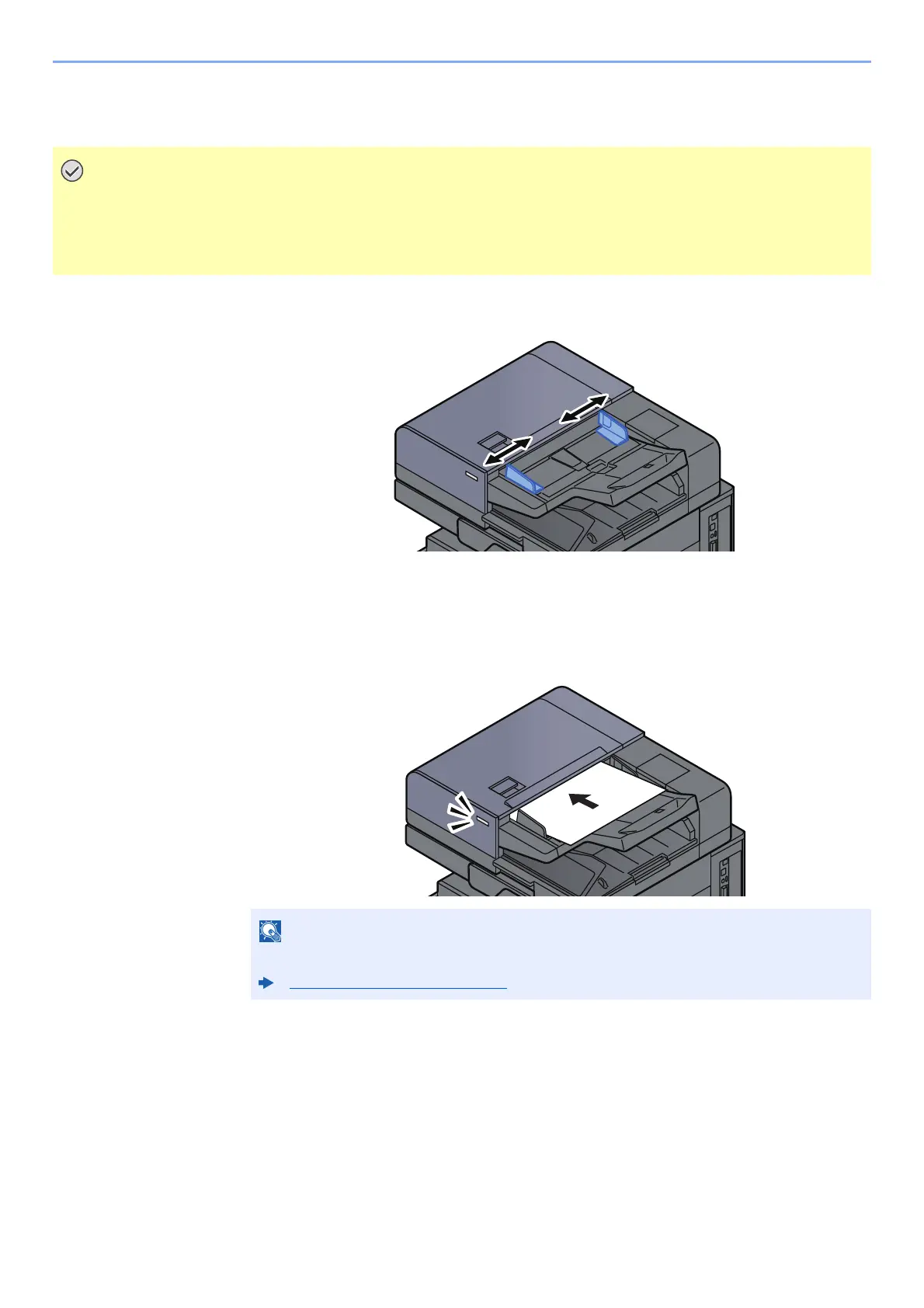
1
Adjust the original width guides.
2
Place the originals.
1 Put the side to be scanned (or the first side of two-sided originals) face-up. Slide the
leading edge into the document processor as far as it will go. The original loaded indicator
lights when the original is placed correctly.
• Before loading originals, be sure that there are no originals left on the original eject table. Originals left on
the original eject table may cause the new originals to jam.
• Do not make an impact on the document processor top cover, such as aligning the originals on the top
cover. It may cause an error in the document processor.
For details on Original Orientation, refer to the following:
Original Orientation (page 6-23)









 To Next Page