USER’S MANUAL OF LK-320E
LABEL & MARK INDUSTRIES COMPANY
12
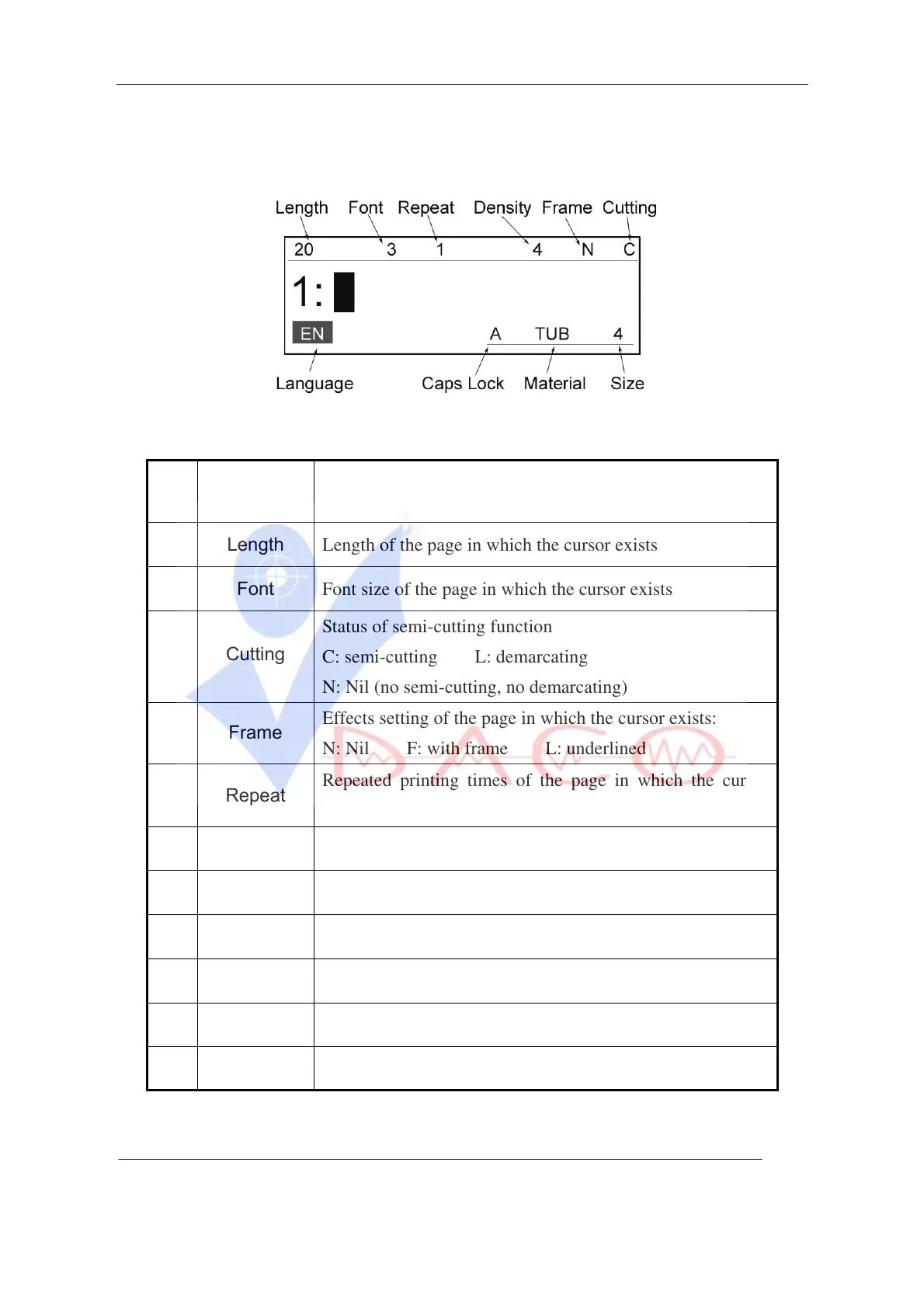
2.2.2 LCD display description
S/N
Display
words
Interpretation
1
Length
Length of the page in which the cursor exists
2
Font
Font size of the page in which the cursor exists
3
Cutting
Status of semi-cutting function
C: semi-cutting L: demarcating
N: Nil (no semi-cutting, no demarcating)
4
Frame
Effects setting of the page in which the cursor exists:
N: Nil F: with frame L: underlined
5
Repeat
Repeated printing times of the page in which the cursor
exists
6
Density
Value set for printing density
7
Caps Lock
Current status of upper case or lower case
8
Size
Size of printing medium
9
Material
Types of printing medium
10
Language
Current status of Chinese or English entry
11
Display contents: page number and page contents



 To Next Page