COMPONENT MAINTENANCE MANUAL
AVIATION RECORDERS
Model FA5000
Rev. 04 Page 114
Feb. 27/14
Testing & Fault Isolation
23–70−40
Use or disclosure of information on this sheet is subject to
the restrictions on the cover page of this document.
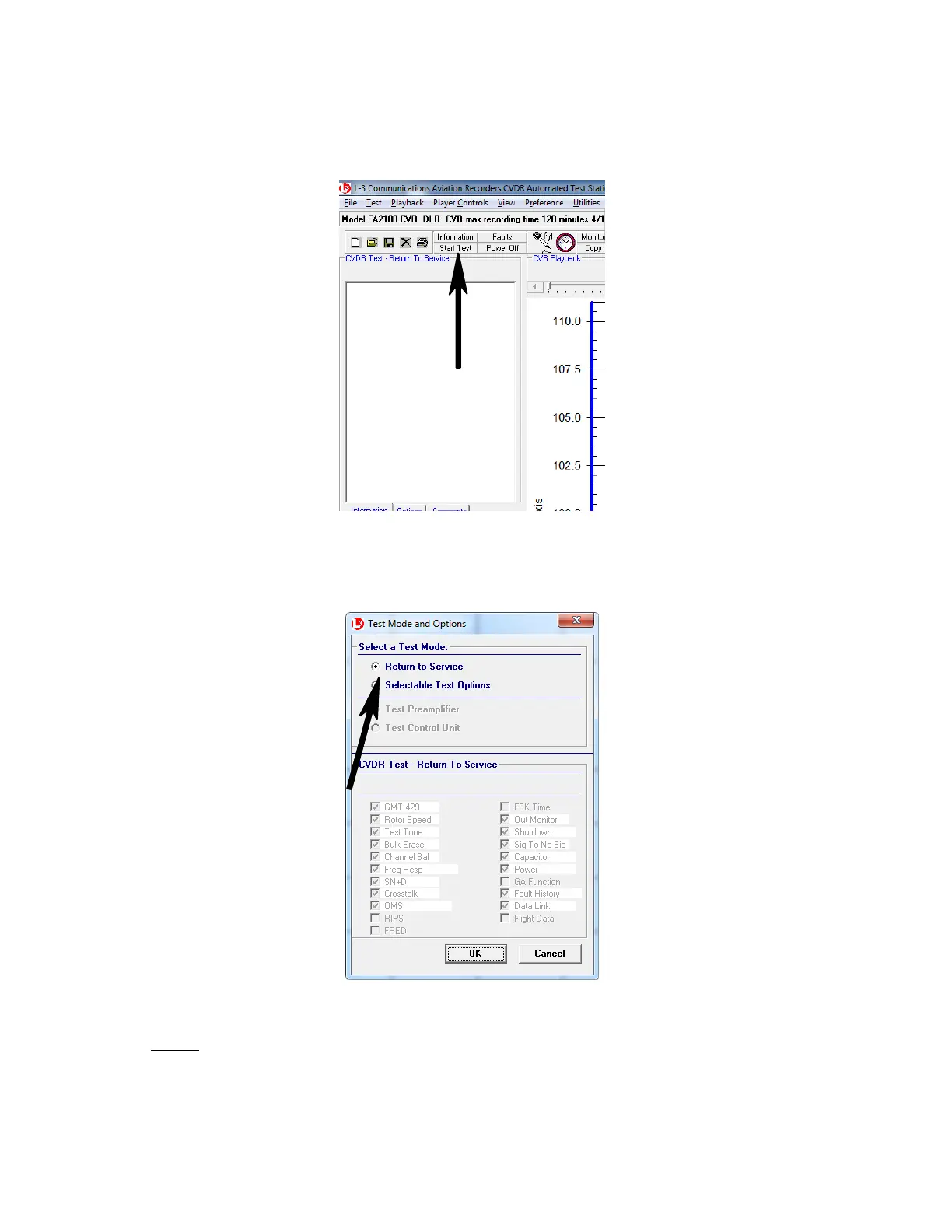
(j) On the tool bar, select Start Test.
Figure 111. CATS, Start Test Toggle
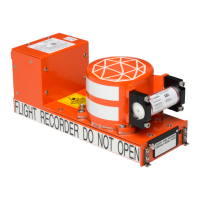
(k) In the “Test Mode and Options” dialog box, select either Return−to−Ser-
vice or Selectable Test Options, then click on OK.
Figure 112. CATS, Test Mode and Options Screen
NOTE: If a full return to service test is not desired then select the “Se-
lectable Test Options” radio button and choose the test options
desired. Figure 113 will appear as confirmation.
The document reference is online, please check the correspondence between the online documentation and the printed version.



 To Next Page