20
20
16 17
18 19
8
9
English
11 EN
15. How to access the programming function
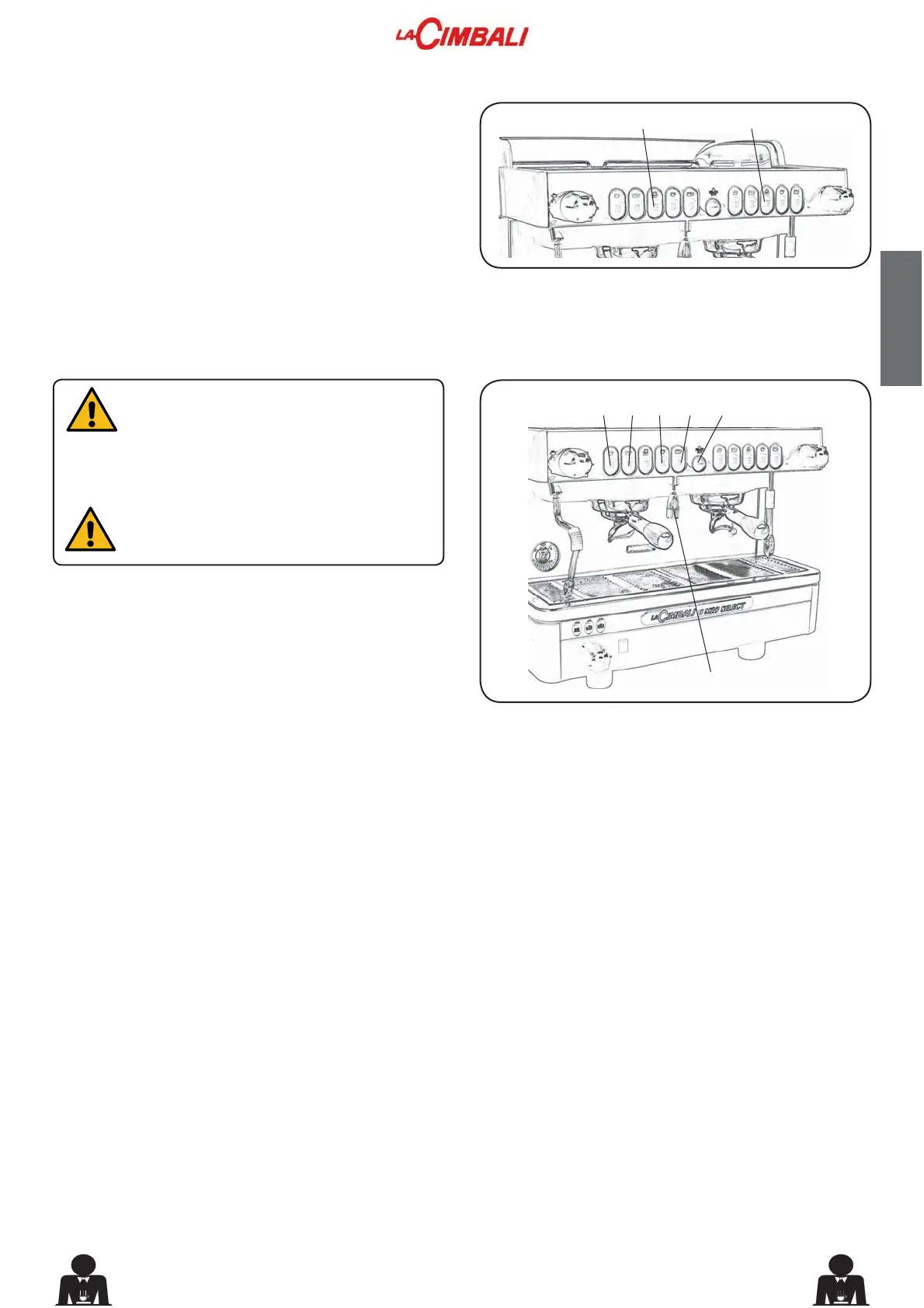
To enter the programming mode, press push button (20)
and keep it pressed for a few seconds; the buzzer sounds
intermittently.
To exit the programming mode, after programming the
various drinks, press push button (20) again for less than
1 second.
16. Programming the coffee measures
“ Before programming the coffee dispensing
SXVKEXWWRQV¿OOWKH¿OWHUKROGHUZLWKWKH
correct serving of ground coffee. Don’t use
coffee grouts for programming servings. ”
17. Programming the hot water measures
Position a suitable container for the amount to be
programmed under the hot water pipe (8).
Press (and keep momentarily pressed) the hot water
dispensing push button (9).
When the amount of water in the container reaches the
required level, release the push button (9).
18. Water level control of boiler
7KHPDFKLQHLV¿WWHGZLWKDVHULHVRIDXWRPDWLFOHYHOFRQWURO
devices to keep the water in the boiler at a pre-set level.
'R QRW UHPRYH WKH ¿OWHU KROGHU GXULQJ
coffee dispensing.
)LWDQGWLJKWHQWKH¿OWHUKROGHU10) on the coffee dispenser
unit, positioning the cup (or cups) under the nozzle (or
QR]]OHVRIWKH¿OWHUKROGHU10).
Press (and keep momentarily pressed) the coffee
dispensing push button (16, 17, 18 or 19) corresponding
to the required serving to be programmed.
When the amount of coffee in the cup reaches the required
level, release the coffee dispensing push button.
Repeat the above operations for the other coffee push
buttons.



 To Next Page