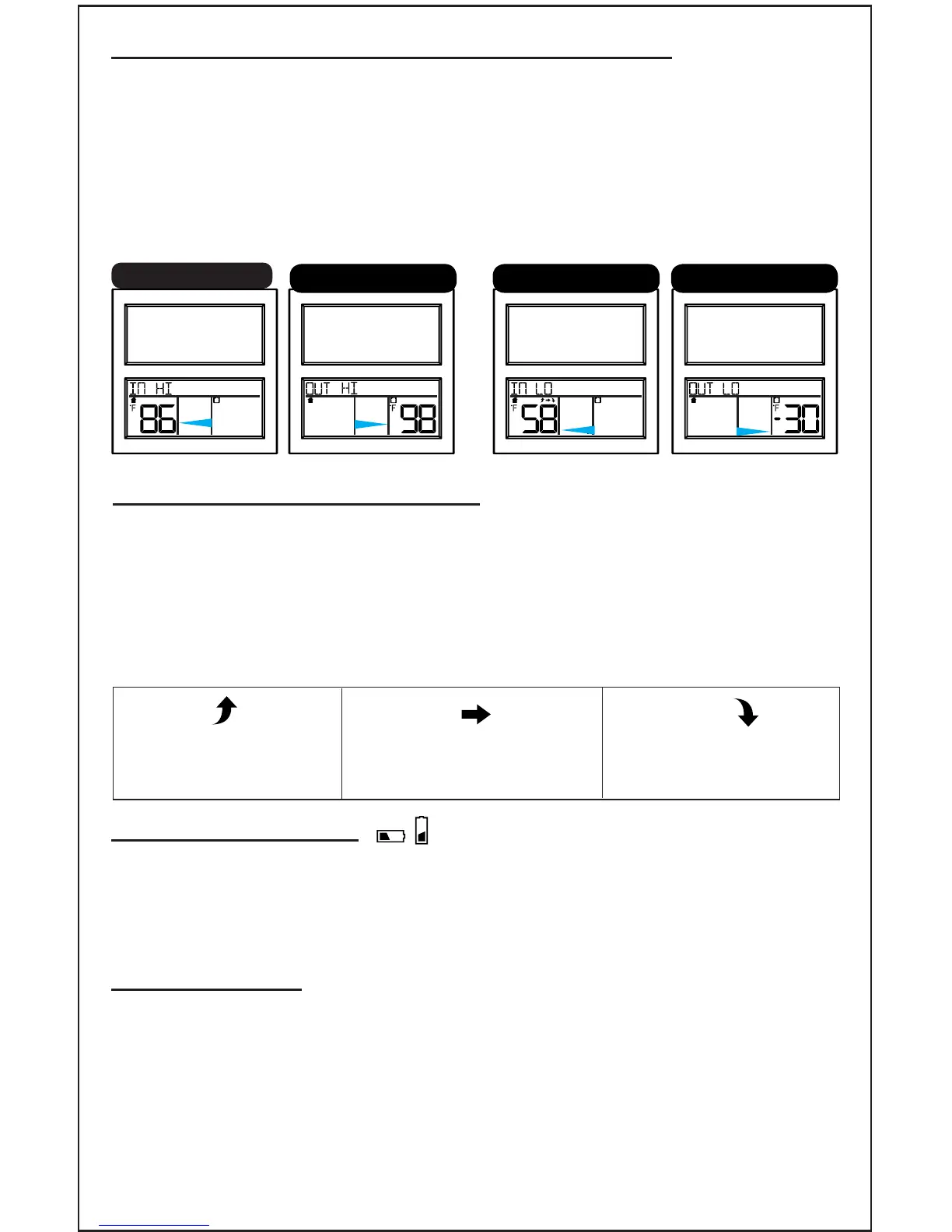
HI/LO Indoor and Outdoor Temperatures
The clock saves the HI and LO temperature readings and automatically
resets all records at midnight.
HI: Press and release the + button to view indoor high than outdoor
high temperatures since midnight.
LO: Press and release the - button to view indoor low than outdoor
low temperatures since midnight.
H I
INDOOR OUTDOORFORECAST INDOOR OUTDOORFORECAST
LO
INDOOR OUTDOORFORECAST
LO
INDOOR OUTDOORFORECAST
H I
Indoor HI Outdoor HI Indoor LO Outdoor LO
Temperature Trend Arrows
The temperature (2°F/1°C) trend indicators update every 30 minutes
or less.
Compares the last 3 hours and changes on every ½ hour:
E.g. : At 3:00 - compare to 12:00 data; at 3:30 -compare to 12:30 …..
etc.
Temperature rose over
the past 3 hours
Temperature is
unchanged over the
past 3 hours
Temperature fell over
the past 3 hours
Low Battery Icons
• Low battery icon near outdoor temperature, change batteries in the
outdoor sensor.
• Low battery icon near indoor temperature, change batteries in the
clock.
Position Clock
The clock has a pullout stand sit on a desk or table, or a hanging hook
to mount on the wall.
• For best Atomic time reception, orientate the clock with the front or
the back facing Ft. Collins, Colorado.
• Choose a location 6 feet or more from electronics such as cordless
phones, gaming systems, televisions, microwaves, routers, etc.
• Place within range of the outdoor sensor (300 feet open air).
Page | 8 www.lacrossetechnology.com/support BBB86118










 To Next Page