12 | Page
FORECAST ICONS: WHAT DO THE FORECAST ICONS MEAN?
When operating as a standalone station, the forecast icons predict
weather condition over the next 12-hours based on the change of atmospheric pressure with
about 70-75% accuracy. As weather conditions cannot be 100% correctly forecasted, we are
not responsible for any loss caused by an incorrect forecast.
Forecast Icons for standalone station:
• Sunny
• Partly Sunny
• Cloudy
• Rain
• T-Storm
• Snow
The “snow” icon appears when the temperature is below 32°F (0°C) and the forecast is
rainy or stormy.
• Your station calibrates barometric pressure based on its location over time to generate an
accurate, personal forecast. Please allow 7-10 days for barometer calibration.
: As the Station builds memory, it will compare the current average pressure to the past
forty day average pressure for increased accuracy. The longer the Station operates in one
location the more accurate the forecast icons will be.
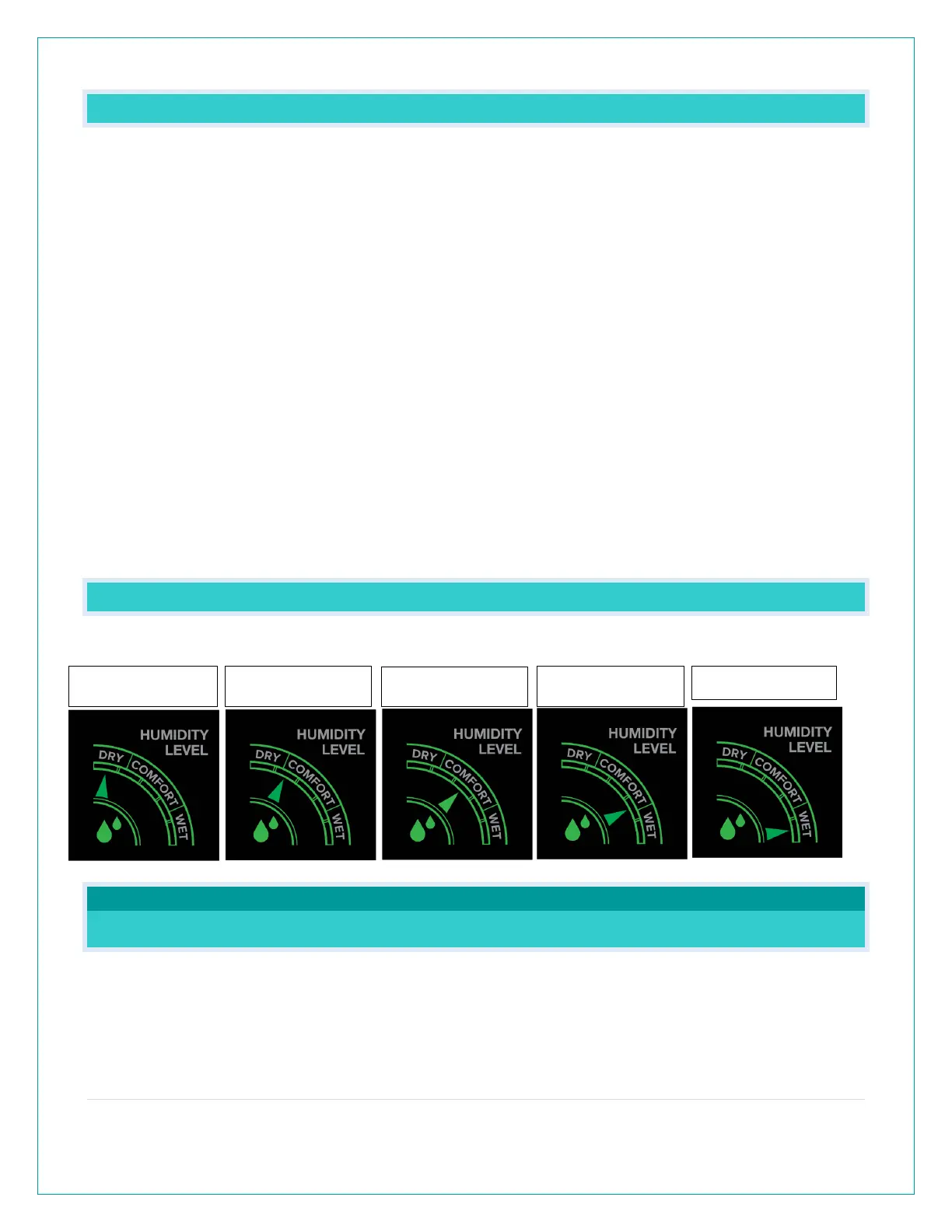
EXPLAIN THE OUTDOOR COMFORT METER.
The Outdoor Comfort Meter is based off the Outdoor Humidity.
The Arrow will indicate comfort level.
WEATHER STATION MESSAGES
WHY DOES “LOST WIFI”, ETC., SHOW ON MY STATION?
When operating as a
station, you will occasionally see the words SEE APP TO
CONNECT or LOST WIFI.
• SEE APP TO CONNECT appears at start up is a prompt to connect to the La Crosse View™
app.






 To Next Page