13 | Page
• LOST WIFI again refers to your station searching for a WIFI connection to connect to the
La Crosse View™ app. You station has found a Wi-Fi service and is awaiting a password.
• These statements should only flash for a few minutes then disappear.
• They may show again for a few minutes if you restart the station or press and release the
SET button.
When
you will have these and other status messages available with a press of the
SET button.
o Station is connected all the way through to your app.
o Check your 5 volt power cord connection (power cord required to connect)
o When trying to reestablish your station’s Wi-Fi connection, be sure your mobile device is
on the same 2.4GHz network you want your station to use.
o Enter your Wi-Fi password again.
o Check your network connection.
o Hold the + and – buttons together for 3 seconds to search for Wi-Fi.
o Wi-Fi, and App are fine.
o Weather/Time service not connecting. This will be resolved at the Weather Server.
Please be patient.
o Weather Forecast, Precipitation and Weather HI/LO temperature will not be displayed.
If connection to app is lost: The last readings from the Internet will remain for up to 3
hours to allow connection to reestablish on its own.
CONNECTED FORECAST FEATURES
ADVANCED FORECAST ICONS & CHANCE OF PRECIPITATION
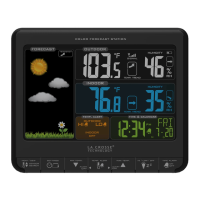
When your station is connected to the La Crosse View™ app you will see an
additional 8 forecast icons from AccuWeather. Your forecast will update multiple times per day.
The forecast icons predict weather condition for the next 12 hours.
Additional forecast icons when connected:
• Windy
• Light Rain
• Severe T-Storm
• Light Snow
• Wintry Mix
• Blizzard
• Ice
• Fog






 To Next Page