WI-FI WIND & WEATHER STATION Page | 18
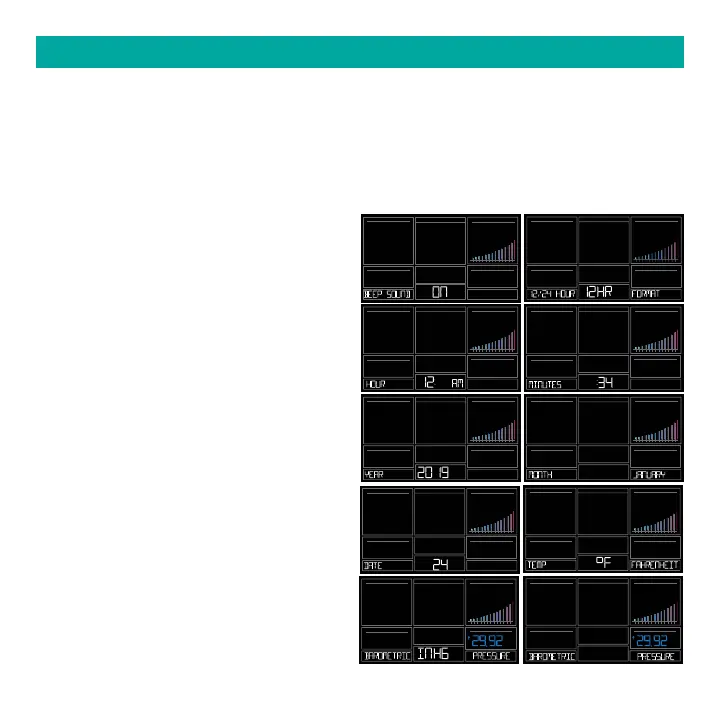
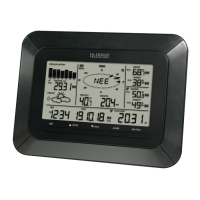
1. Hold the SET button for 3 seconds to enter settings menu.
2. Press and release the + or - buttons to adjust the flashing values. Hold to adjust quickly.
3. Press and release the SET button to confirm and move to the next item.
Note: Press and release the LIGHT button any time to exit settings.
SETTINGS MENU
10 2 3 4 5 6 7 8 9 10 15
20 25+
10 2 3 4 5 6 7 8 9 10 15
20 25+
10 2 3 4 5 6 7 8 9 10 15
20 25+
10 2 3 4 5 6 7 8 9 10 15
20 25+
10 2 3 4 5 6 7 8 9 10 15
20 25+
10 2 3 4 5 6 7 8 9 10 15
20 25+
10 2 3 4 5 6 7 8 9 10 15
20 25+
10 2 3 4 5 6 7 8 9 10 15
20 25+
10 2 3 4 5 6 7 8 9 10 15
20 25+
10 2 3 4 5 6 7 8 9 10 15
20 25+
INHG
PRESSURE
INHG
PRESSURE
Settings menu order:
• BEEP ON | OFF
• 12/24 hour format
• Hour
• Minutes
• Year
• Month
• Date
• Temperature Fahrenheit | Celsius
• Pressure: InHg / hPa
• Pressure number setting
Note: Weekday sets automatically as Year,
Month and Date are set.






 To Next Page