WI-FI WIND & WEATHER STATION Page | 29
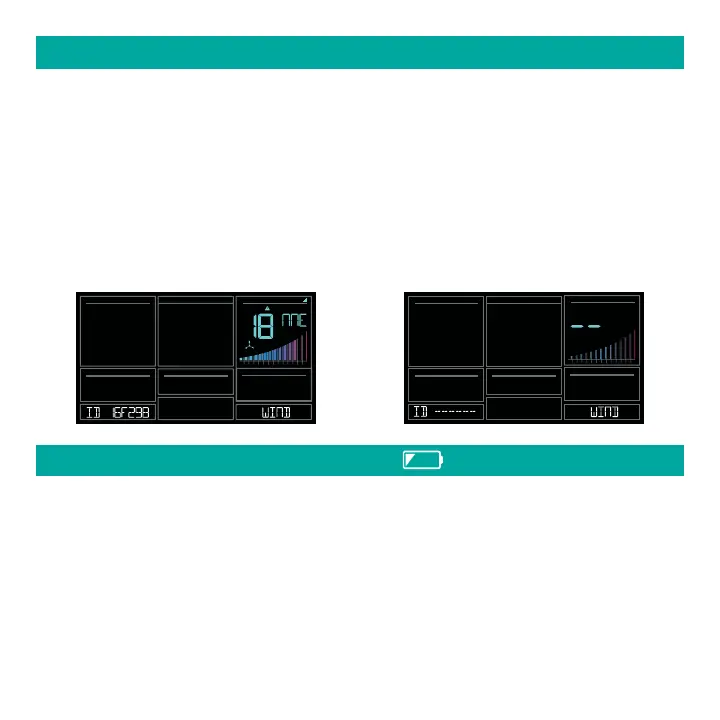
1. Press and release the SENSOR button to view sensor type and ID.
2. Hold the MINUS button to delete the sensor from the station.
3. Deleted sensor can no longer show on station. Batteries should be removed.
4. Station will automatically search for a replacement sensor of the same type.
Example: Delete a Wind sensor, the station will search for a new Wind sensor.
5. If replacing a sensor, insert batteries into the new sensor. Once station receives sensor,
press the SENSOR button to confirm sensor ID.
Note: Deleted, working, sensors with batteries installed, may still pass through to the app but
will no longer show on the station.
DELETE SENSORS
10 2 3 4 5 6 7 8 9 10 15
20 25+
MPH
WIND
SPEED
DIRECTION
MPH
WIND
SPEED
10 2 3 4 5 6 7 8 9 10 15
20 25+
• Low battery by Outdoor Temperature, replace batteries in the TH sensor.
• Low battery by Wind, replace batteries in the Wind Sensor.
• Low Battery by Indoor Temperature, replace batteries in Station.
• Low Battery by Extra Sensor, replace batteries in the Extra Sensor.
LOW BATTERY INDICATORS






 To Next Page