EasyManua.ls Logo

La Crosse Technology WT-5721 - User Manual

La Crosse Technology WT-5721
16 pages
Print Icon
To Next Page IconTo Next Page
Loading...
WT-5721
433 MHz
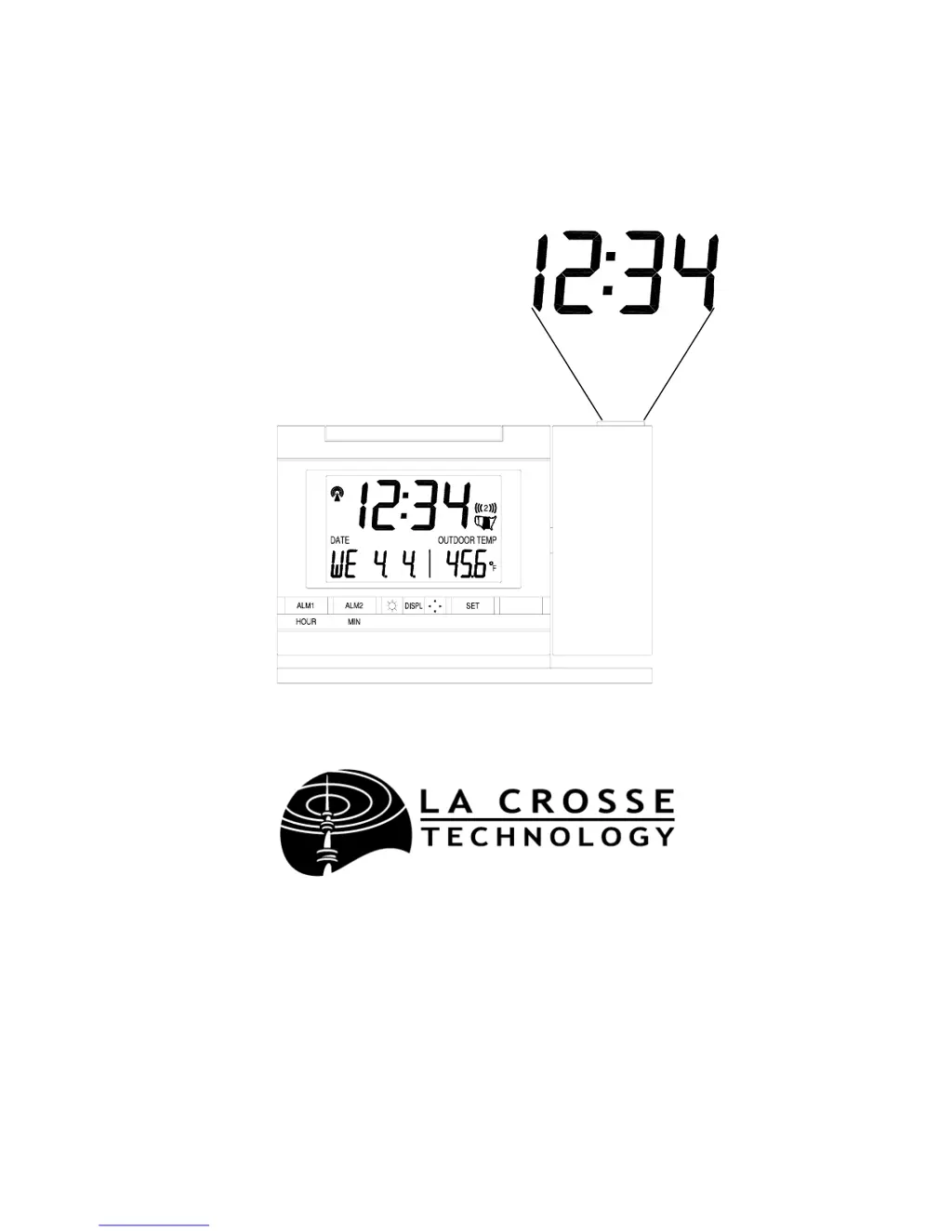
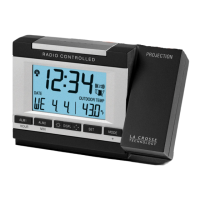
Radio Controlled Projection Alarm
Instruction Manual
P R
02' (
OJE CTION

Questions and Answers

  • D
    Douglas RiceAug 19, 2025
    How to fix faint projection on La Crosse Technology WT-5721 Clock?
    • S
      ssanchezAug 19, 2025
      If the projection on your La Crosse Technology Clock is faint, you can try the following: Adjust the intensity setting, use the AC adapter, darken the surroundings, or use fresh batteries if you're not using the AC adapter.
  • C
    Casey WallAug 21, 2025
    What to do if “--.-” appears in outdoor temperature LCD of La Crosse Technology Clock?
    • H
      Heather RomanAug 21, 2025
      If the outdoor temperature LCD on your La Crosse Technology Clock displays “--.-”, try these steps: First, check the batteries in the remote unit. If replacing the batteries, remember to restart the unit by removing all batteries and following the startup procedure.
  • A
    Ashley AlexanderAug 23, 2025
    What to do if “OFL” appears in the outdoor temperature LCD of La Crosse Technology WT-5721 Clock?
    • E
      Ellen RubioAug 23, 2025
      If the outdoor temperature LCD of your La Crosse Technology Clock displays “OFL”, it could be due to several reasons. The remote temperature might be out of range, or there may be interference from an outside source such as a cordless telephone. You can also check the batteries.
  • L
    lsmithAug 26, 2025
    How to fix no reception of WWVB signal on La Crosse Technology Clock?
    • I
      igrayAug 26, 2025
      If you are not receiving a WWVB signal on your La Crosse Technology Clock, try the following: Face the front of the clock towards Ft. Collins, Colorado. Wait overnight for the signal. Ensure the clock is at least 6 feet away from electrical devices like TVs or computers. Remove the batteries for five minutes, reinsert them, and leave the unit alone overnight without pressing any buttons.
  • C
    Courtney RobertsonAug 28, 2025
    What to do if “OFL” appears in the indoor temperature LCD on La Crosse Technology WT-5721?
    • A
      ataylorAug 28, 2025
      If “OFL” appears in the indoor temperature LCD of your La Crosse Technology Clock, it means the surrounding temperatures are outside the measuring range. Move the unit to an area with a warmer or cooler surrounding temperature.
  • C
    Charles ParkerAug 30, 2025
    What to do if LCD is faint on La Crosse Technology WT-5721 Clock?
    • R
      Robert MurphyAug 30, 2025
      If the LCD on your La Crosse Technology Clock is faint, replace the batteries.
  • J
    Jeffrey SantanaSep 1, 2025
    Why is hour incorrect on La Crosse Technology WT-5721 but minute and date are correct?
    • M
      Miranda ObrienSep 1, 2025
      If your La Crosse Technology Clock's hour is incorrect but the minute and date are correct, ensure that you have selected the correct time zone and daylight saving time settings.
  • D
    derek10Sep 4, 2025
    Why is the projection faint on my La Crosse Technology Alarm Clock?
    • L
      lindsey33Sep 4, 2025
      The projection might be faint due to several reasons. First, try changing the intensity setting. If that doesn't work, use the AC adapter instead of batteries. Darkening the surroundings can also help. If you're using batteries, ensure they are fresh.
  • T
    Tracy PalmerSep 6, 2025
    What to do if my La Crosse Technology Alarm Clock is not receiving WWVB signal?
    • B
      Brandon Taylor DDSSep 6, 2025
      To improve WWVB signal reception on your La Crosse Technology Alarm Clock, try these steps: * Face the front of the clock towards Ft. Collins, Colorado. * Wait overnight for the signal to connect. * Ensure the clock is at least 6 feet away from electrical devices like TVs or computers. * Remove the batteries for five minutes, reinsert them, and leave the unit alone overnight without pressing any buttons.
  • J
    Justin RodgersSep 8, 2025
    Why does “OFL” appear on the outdoor temperature LCD of my La Crosse Technology Alarm Clock?
    • R
      Rachel MyersSep 8, 2025
      If “OFL” appears on the outdoor temperature LCD of your La Crosse Technology Alarm Clock, it could be due to several reasons: * The remote temperature may be out of range. * Check the batteries in the remote. * There might be interference from an outside source such as a cordless telephone.

Summary

Quick Set-Up Guide

Quick Set-Up Procedure

Step-by-step instructions for initial setup and basic operation of the Projection Alarm.

Detailed Set-Up: Battery Installation

Remote Temperature Transmitter Battery Installation

Instructions for installing batteries in the remote temperature transmitter.

Projection Alarm Battery and AC Adapter Installation

Instructions for installing batteries and connecting the AC adapter for the Projection Alarm.

Program Mode Operations

Programming Sequence

Outlines the order of operations for setting various functions of the Projection Alarm.

Time Zone Setting

Details how to select the correct time zone for accurate time display.

Time and Alarm Configuration

DST (Daylight Saving Time) Setting

Explains how to enable or disable Daylight Saving Time adjustments.

Manual Time and Date Configuration

Manual Time Setting

Step-by-step instructions for manually setting the hour and minute.

Manual Date Setting

Instructions for setting the year, month, date, and weekday.

Projection, Backlight, and Temperature Display

Remote Temperature and Alarm Setup

Alarm Operation and Display Modes

Mounting and Maintenance

Troubleshooting

Troubleshooting Common Issues

Solutions for common problems like faint projection, LCD issues, and signal reception.

La Crosse Technology WT-5721 Specifications

General IconGeneral
DisplayLCD
Time Format12/24 Hour
Humidity Range1% to 99%
Atomic FunctionYes
TypeAtomic Clock
Temperature Range-9.9°C to 59.9°C
Power SourceBattery
Time ZonesPacific, Mountain, Central, Eastern
Temperature Display°F or °C

Related product manuals