LM3605 Print & Apply Label Applicator
USER'S MANUAL
Page 10 Made in the U.S.A.
WEB ROUTING
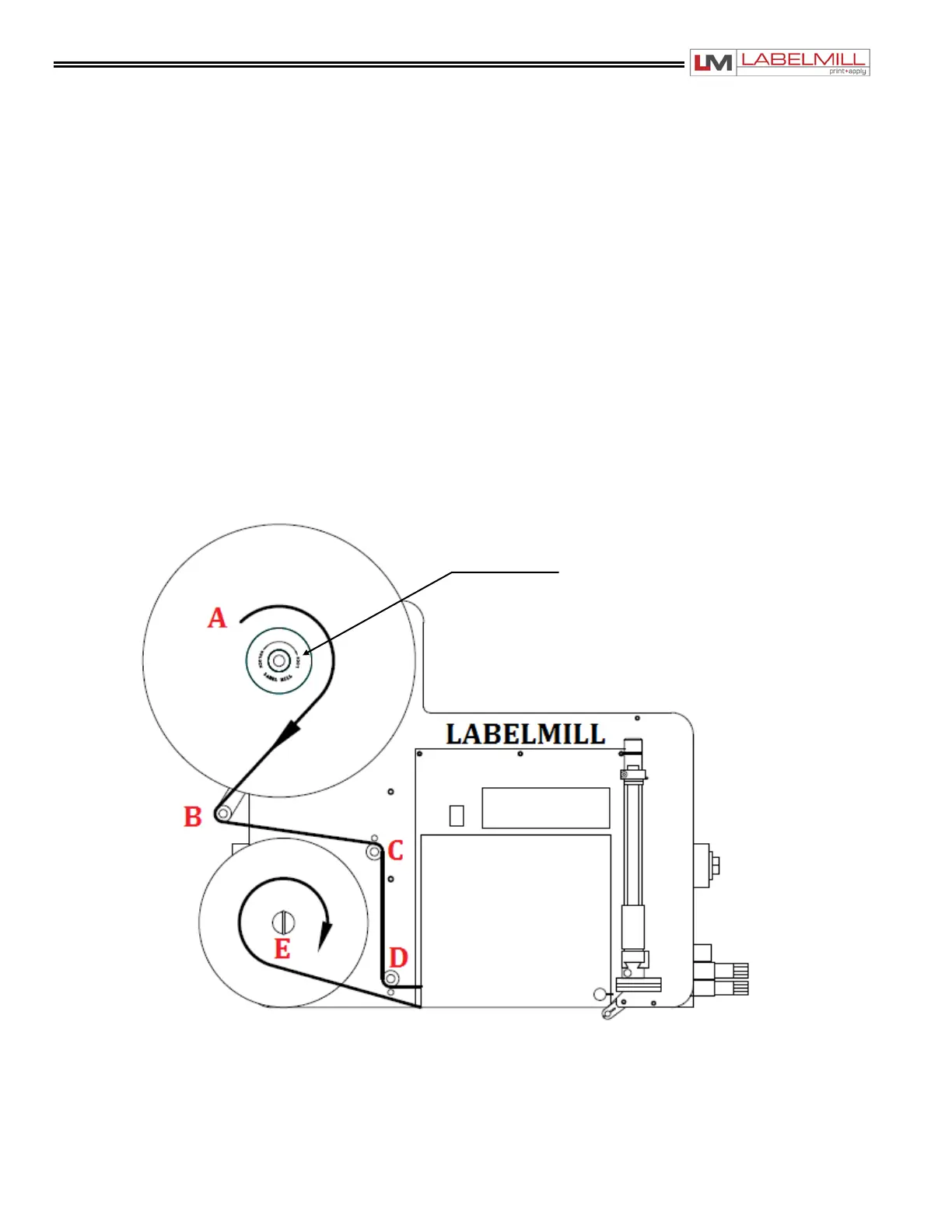
Load web onto label storage spool (A) so it unloads in a clockwise direction.
Feed the web to the left and below roller guide (B), to the right of roller (C) and to the left
and below roller guide (D).
Feed the web into the thermal printer.
Finish the process by loading the waste backing paper onto the web take up spool (E).
The take up spool rotates in a clockwise direction.
Adjust the (2) plastic web guide clips so the web is guided straight and even. Make sure
clips do not bind the web.
*For a detailed illustration of this procedure, see Figure 2-1 below.
FIGURE 2-
2-01



 To Next Page