Instruction manual for CoolSafe
Item No. 701157
CopyRight © 2016
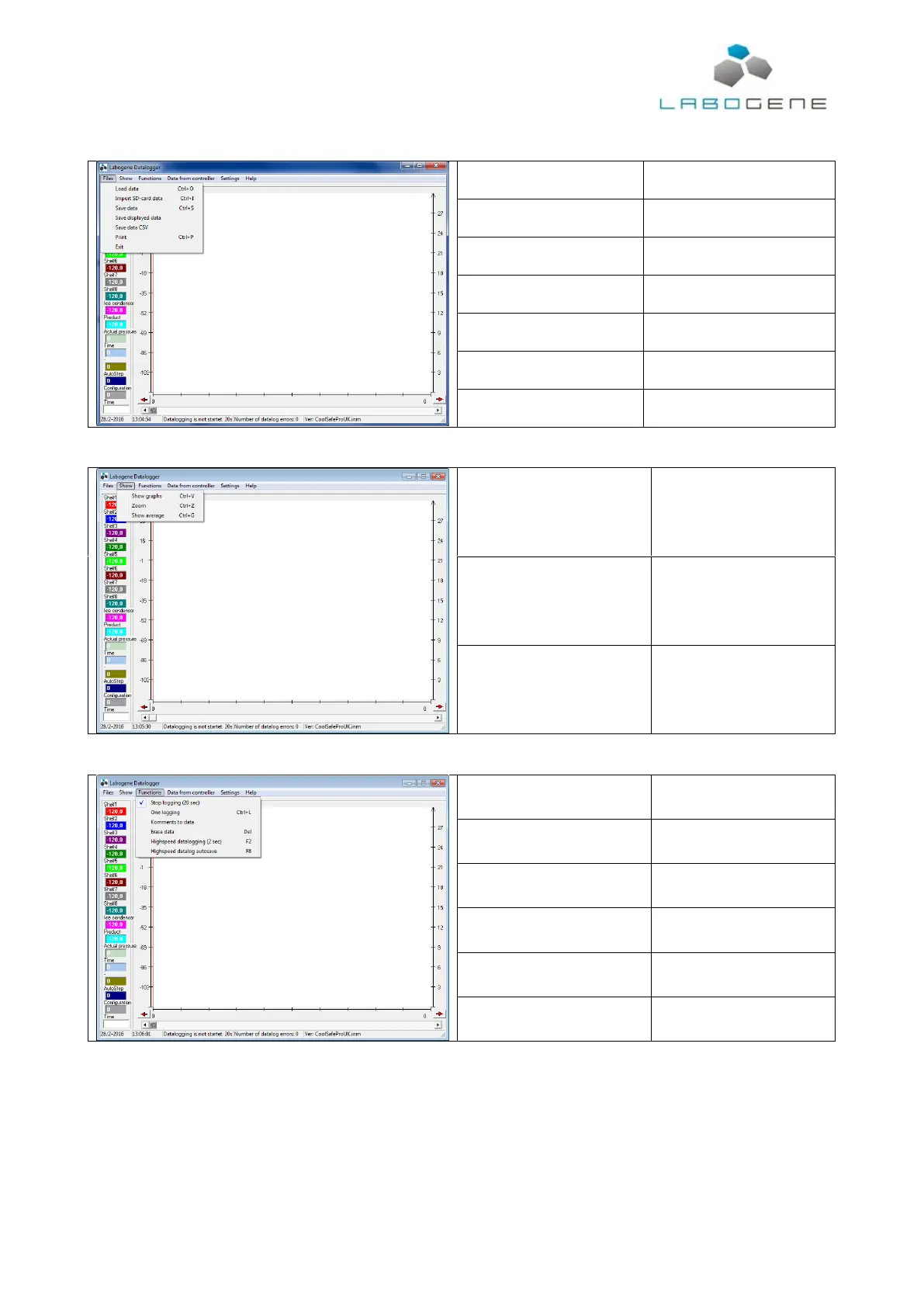
Load saved data from a local or
network disc.
Import data from the SD-card
Saves all data in the memory to
a file.
Saves the displayed data to a
file.
Save data in excel compatible
format.
Print data and graph or graph
alone.
Selection of what data will be
shown.
Zooms in or out on the time
axis on the graph.
Opens window where
average, maximum and
minimum values for each
parameter is shown.
Stop logging at default speed
(every 20 seconds).
Comment to data can be
added. Is shown on the printed
version of the data.
Erase all data in the computer
memory (all displayed data).
Highspeed datalogging (2 sec)
Start logging every 2 seconds
Highspeed datalog autosave
Logging every 2 seconds with
autosaving of data.



 To Next Page