10 | MSD Legend Series Operation & Maintenance Manual
• One 1/2” (13 mm) diameter case drain
3. Install jump lines from each of these lines to the shear bulkhead or manifold ttings. Refer to the parts manual.
4. Torque all hydraulic ttings to values shown in “Inspect / Torque Bolts” on page 25.
Do not check for hydraulic leaks with your hands. Hydraulic oil
could inject into the skin. Seek immediate medical attention if
an injection injury occurs.
5. Visually check for hydraulic oil leaks or hydraulic hose interference.
Note: The hydraulic circuit must be bled before putting the shear into service (see “Bleed the Shear Hydraulic
Circuit” on page 18).
INSITE™ ELECTRICAL INSTALLATION
MSD Legend shears are equipped with InSite. InSite pulls information from the shear to provide performance metrics
that help increase productivity and reduce downtime. InSite requires DC power from the excavator.
Run Power Cable Up the Excavator Boom
disconnect switch is in the open position. Risk of electric
shock. Perform Lock-Out / Tag-Out procedures on all electrical
energy sources.
InSite requires +12 VDC or +24 VDC from the excavator. The power supply cable will be fed to the excavator and
connected to the main battery disconnect switch (or excavator fuse panel, if preferred) and to the keyed ignition switch.
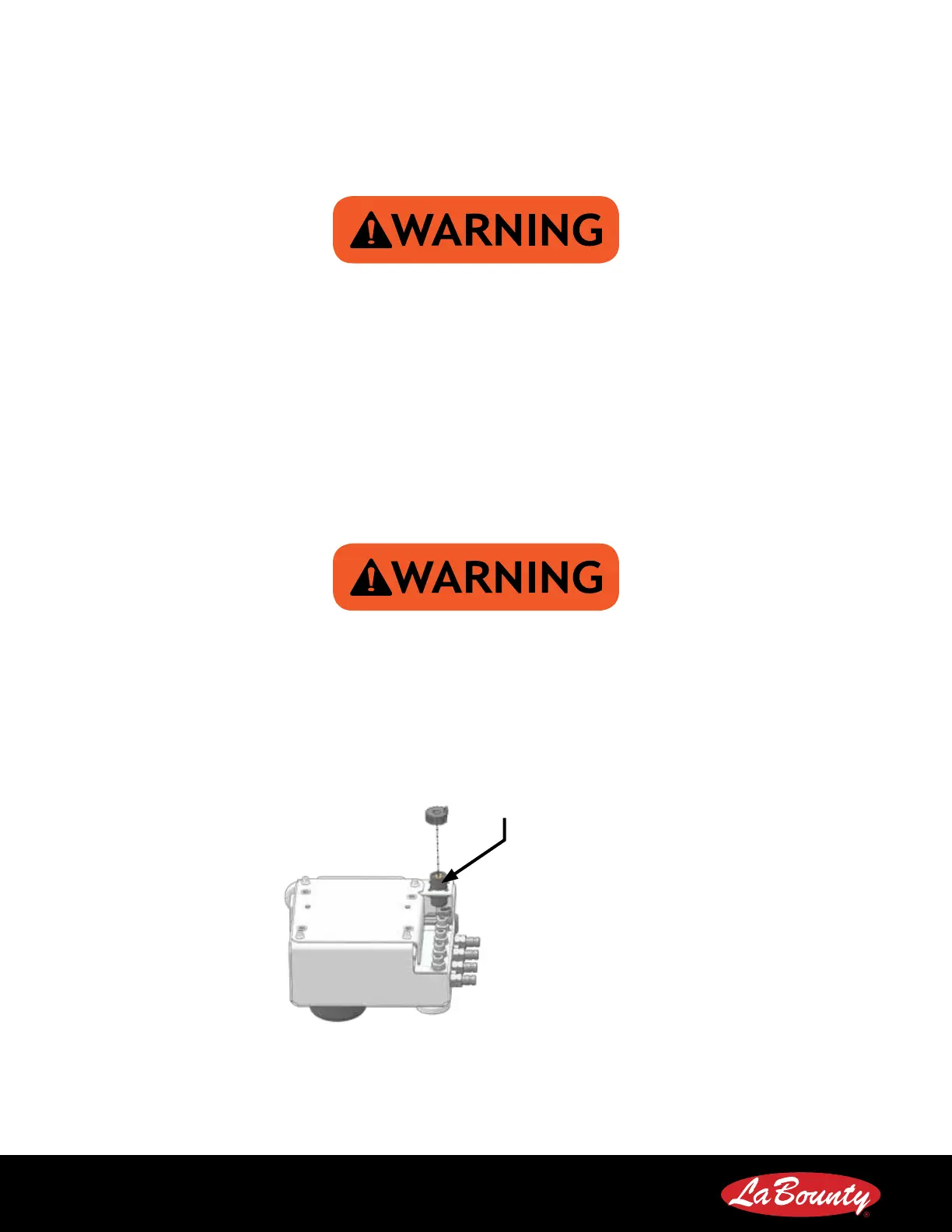
1. Connect the short armored jump cable to the power cable receptacle on the InSite control box.
Power Cable Receptacle
2. Connect the long InSite power supply cable to the jump cable.
3. Using the supplied zip ties, run the InSite power supply cable up the excavator boom and to the excavator. Secure
the cable at least every 2 feet (610 mm) .
4. Ensure the power cable is not allowed to touch or rub objects that may damage the cable.
5. The end of the power supply cable will terminate in 3 bare wires.



 To Next Page