6
AmpliFi User GuideChapter 2: Devices
ULabs
General
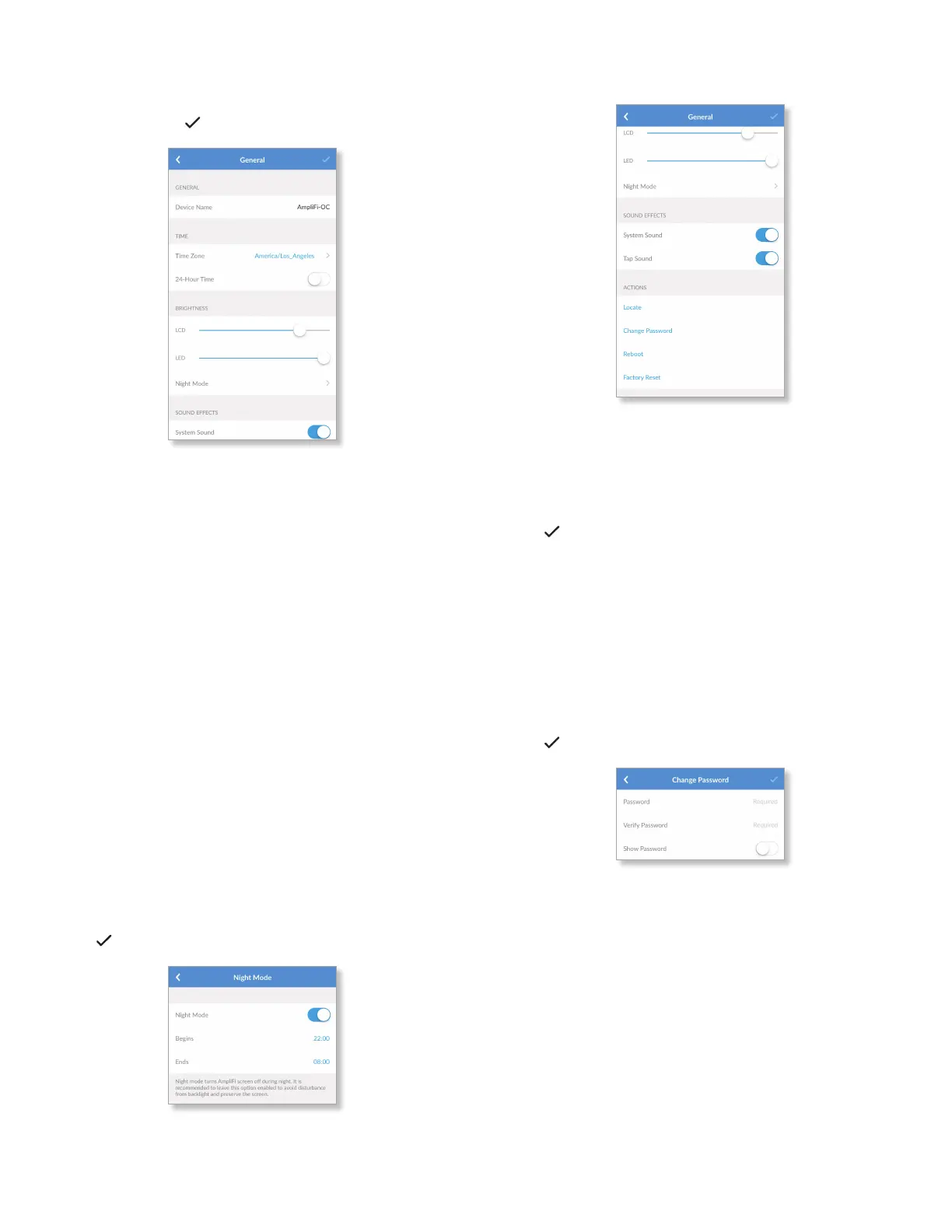
The General screen for the Router allows you to access
device settings. Tap to save your changes.
General
• Device Name Displays the descriptive name of the
Router. Tap to change it.
Time
• Time Zone Select the appropriate time zone for your
location.
• 24-Hour Time Select this option to display the time
in 24-hour format (for example, 6:00 pm is displayed as
1800).
Brightness
• LCD Use the slider to adjust the brightness of the Router’s
LCD screen.
• LED Use the slider to adjust the brightness of the Router’s
bottom LED.
• Night Mode Enabled by default, the LCD screen turns off
at night.
- Night Mode We recommend keeping this option
enabled to avoid any disturbance from the backlight
and preserve the LCD screen.
- Begins Change the time that Night Mode activates.
- Ends Change the time that Night Mode deactivates.
Tap to save your changes.
Sound Effects
• System Sound Enabled by default. The Router emits
notification sounds when an action is complete (for
example, when a setting is saved).
• Tap Sound Enabled by default. The Router emits a sound
every time you tap on the screen.
Tap
to save your changes.
Actions
• Locate The LED of the Router flashes several times.
• Change Password You can change the administrator or
device password.
- Password Enter the new password.
- Verify Password Enter the new password again.
- Show Password Disabled by default. Select this option
to display the password in plain text.
Tap to save your changes.
• Reboot Restarts the Router.
• Factory Reset Resets the Router and all online Mesh
Points to factory default settings.


 To Next Page