1
Chapter 1: Getting StartedAmpliFi User Guide
ULabs
Chapter 1: Getting Started
Introduction
Thank you for purchasing the AmpliFi
™
Home Wi-Fi System.
This User Guide describes the following:
• installation process (see below)
• “App Features” on page3
• “Touchscreen of the Router” on page4
Installation
The AmpliFi Router can be installed using one of the
following methods:
• AmpliFi app for iPhone®
• AmpliFi app for Android
™
• Connecting to the default AmpliFi wireless network (SSID)
from a computer or tablet.
App Users
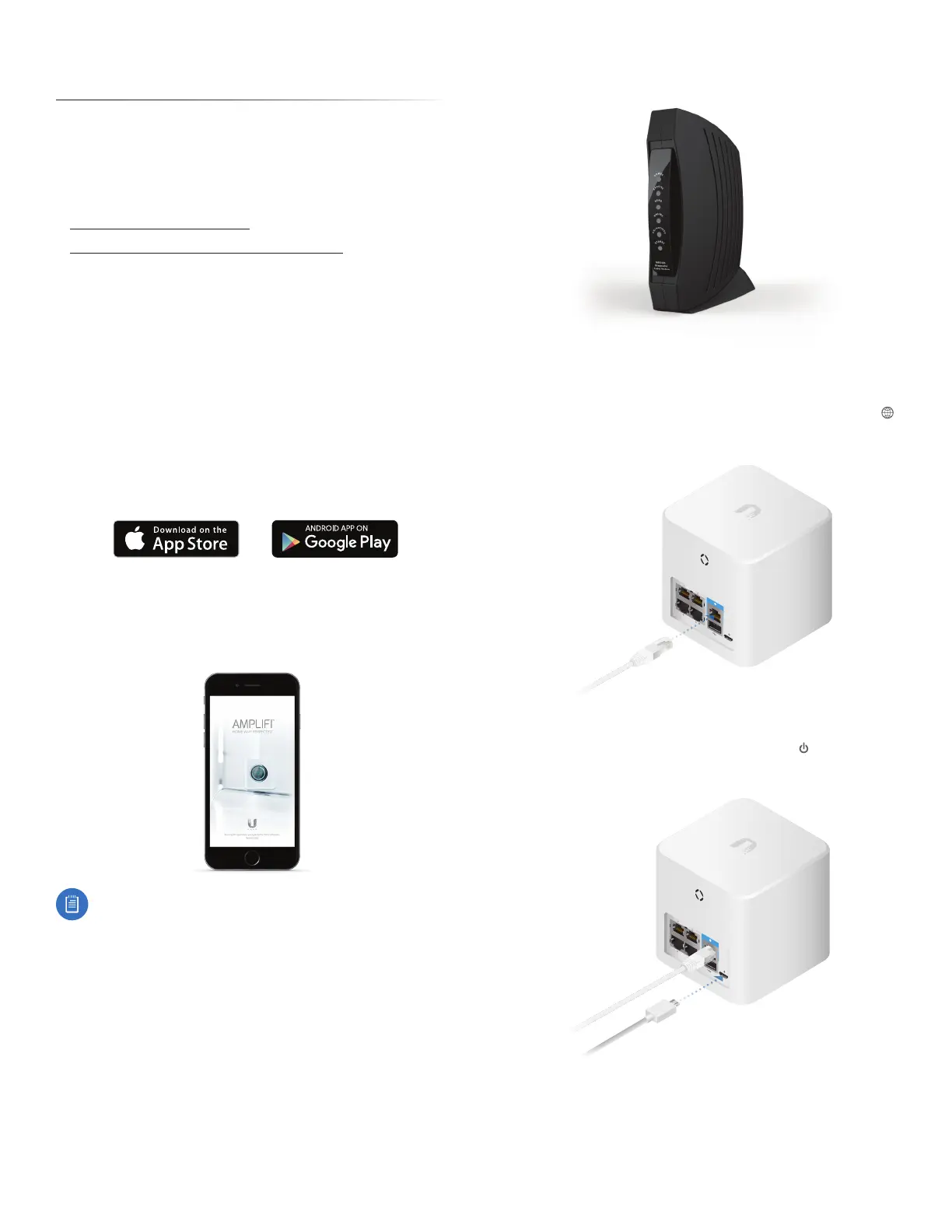
Download and install the AmpliFi app from the App Store or
Google Play
™
Store.
If you are not using the app to install the AmpliFi Router,
please skip step 1 and proceed to step 2.
1 Launch the AmpliFi app.
iPhone Users: Ensure that Bluetooth is enabled.
Android Users: Ensure that Wi-Fi is enabled.
2 Power o your broadband modem.
3 Connect one end of the Ethernet Cable to your
broadband modem and the other end to the Internet
port on the AmpliFi Router.
4 Connect the Power Adapter to the power port on the
AmpliFi Router.


 To Next Page