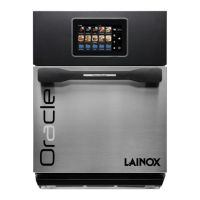
The Oracle device is a high-speed combi oven designed for commercial kitchens and catering, offering both rapid cooking and traditional combi oven functionalities. It allows users to combine speed and flavor through its innovative technological solutions.
Function Description:
The Oracle oven operates in two primary modes: HSO (High Speed Oven) and COMBI.
- HSO Mode (High Speed Oven): This mode utilizes a combined action of microwaves and hot air to quickly prepare ready meals, making it suitable for fast-paced environments. It offers both FCS Automatic Cooking (one-touch cooking with predefined settings) and Manual Cooking, where users can customize parameters like time, microwave power, and impingement.
- COMBI Mode: This mode provides maximum flexibility by allowing convection, microwave, or combined convection + microwave cooking. Similar to HSO, it features MCS Automatic Cooking (one-touch cooking with predefined settings) and Manual Cooking, where users can customize temperature, time, and ventilation.
The device is equipped with a touchscreen display for intuitive interaction, allowing users to touch, drag, and scroll to navigate menus and select options. It supports programming to create new manual programs, multi-level programs, or modify existing ones. Programs can be saved with additional information such as context, ingredients, instructions, accessories, and presentation details.
Important Technical Specifications:
- Models: The Oracle oven comes in various models, categorized as STANDARD and BOOSTED, with different color options (Steel, Red, Black).
- STANDARD: ORACGS (Steel), ORACRS (Red), ORACBS (Black).
- BOOSTED: ORACGB (Steel), ORACRB (Red), ORACBB (Black).
- Power Supply: The oven requires an omnipolar mains switch with a minimum opening distance between contacts of at least 3 mm per pole. It must be part of an equipotential bonding system, with a conductor of up to 10 mm² connected to the specific terminal marked IEC60417 – 5021.
- Sound Pressure: The equivalent sound pressure (A-weighted) is lower than 70dB(A).
- USB Port: Located behind a magnetic filter on the right side, it supports standard USB drives for data transfer.
- Air Filters: Equipped with three magnetic air filters: two on the lower sides and one under the door.
- Safety Thermal Reset Button: An emergency power reset button is located on the back of the oven, accessible by unscrewing its protection.
Usage Features:
- First Ignition Settings: Before first use, the oven requires cleaning with OSOCL detergent and OSOPR oven protection product. It should be brought to 300°C (572°F) in convection mode for 30 minutes to remove odors, without activating microwave. Language selection is prompted on first startup.
- Switching Off: The oven is turned off by pressing a green icon on the screen, initiating a cooling process until the temperature drops below 60°C (140°F). It's crucial not to unplug or switch off power until the fan stops to prevent damage to the convection motor.
- Cooking Tips:
- Metal containers up to 1½ inches (38mm) in height can be used.
- Parchment paper is recommended for easy food removal.
- Muffin tins are useful for individual cakes and brownies.
- Stage cooking allows up to four consecutive cooking cycles (e.g., defrost, cook, keep warm), with a total cooking time not exceeding 60 minutes.
- My Nabook: An archive of all Oracle cooking programs, allowing users to manage, search, and view program details, including cooking phases. Programs can be added as shortcuts to the home screen.
- Cloud Access: The oven supports Wi-Fi connectivity for cloud access, enabling users to download recipes and update software. Registration of a cloud account is required, involving personal information and acceptance of privacy terms.
- Settings: A comprehensive settings menu allows customization of:
- Block Settings: Activate profile block (1st level), profile block + manual cooking (2nd level), hard profile block (3rd level), and preheat timeout (1-10 minutes) to manage power consumption and oven wear.
- User Preferences: Adjust brightness, energy saving settings, volume, sound configuration, interface language, unit of temperature measurement (°C or °F), and keyboard choice.
- Wi-Fi Configuration: Enable Wi-Fi, select networks, and test connections.
- Cloud Settings: Register and log in to the Oracle Cloud account.
- Date and Time Settings: Set date, time, time zone, and time format.
- USB Settings: Download HACCP logs, create backups of technical data, recipes, and settings, and import user preferences backups.
- Software Update: Update interface, base, or complete software from USB or the Cloud.
- Home Page and Messages: Select icon size (small for 20 icons, large for 12 icons), enable extended view, and toggle backup reminders or door open warnings during cooking.
- Consumption Monitor: View information about oven consumption over specific periods (last operation, 24 hours, 7 days, 30 days, 12 months, or custom date range).
- Customer Service: Access and view contact numbers for Chef Support and Technical Support.
- Service Settings: Reserved for authorized technical personnel, allowing access to oven model, parameters, magnetrons, and counters after entering a service password.
Maintenance Features:
- Daily Cleaning:
- Allow the oven to cool before cleaning.
- Wipe interior with a warm, damp towel. For stubborn debris, use OSOCL oven cleaner (avoid spraying into perforations) and a plastic scouring pad for non-stick liners, or a plastic scouring pad for ovens without non-stick liners.
- Rinse thoroughly and wipe dry.
- Apply OSOPR Oven Shield to interior surfaces for non-stick ovens.
- Clean the cooking plate with warm soapy water (dishwasher safe).
- Clean the Oracle Washable Box (if present) with warm soapy water (dishwasher safe).
- Clean the exterior door, other surfaces, and the touchscreen with a mild detergent and soft cloth.
- Weekly Cleaning:
- Remove and wash all three magnetic air filters with warm water and neutral detergent (dishwasher safe).
- Rinse and dry filters thoroughly before replacing.
- Scheduled Maintenance:
- Oven and accessories: Daily washing.
- Inlet air filters: Weekly cleaning.
- Internal air filter: Cleaned every 100,000 cycles when changing magnetrons.
- Electric contactor: Replaced every 100,000 cycles with original spare parts; the oven provides a maintenance notification when due.
- General Warnings:
- Only authorized personnel should perform interventions or special maintenance.
- Use appropriate PPE (gloves, glasses) when cleaning.
- Avoid caustic cleaning products or those containing ammonia, phosphates, chlorine, sodium hydroxide, or potassium hydroxide, as they can damage oven parts and void the warranty.
- Do not use water pressure or steam cleaning systems.
- Do not operate the oven empty in microwave mode or without air filters.
- Do not apply weights greater than 5 kg or lean against the open door.
- Regularly clean the surface beneath the oven if it is fitted on feet.
- The manual can be downloaded in various languages via QR codes on the specifications plate.

 Need help?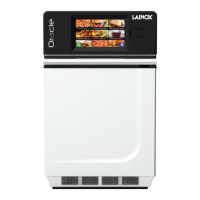




 To Next Page
 General