90038900rev00
- 36 -
SOFTWARE UPDATE
USING THE CLOUD
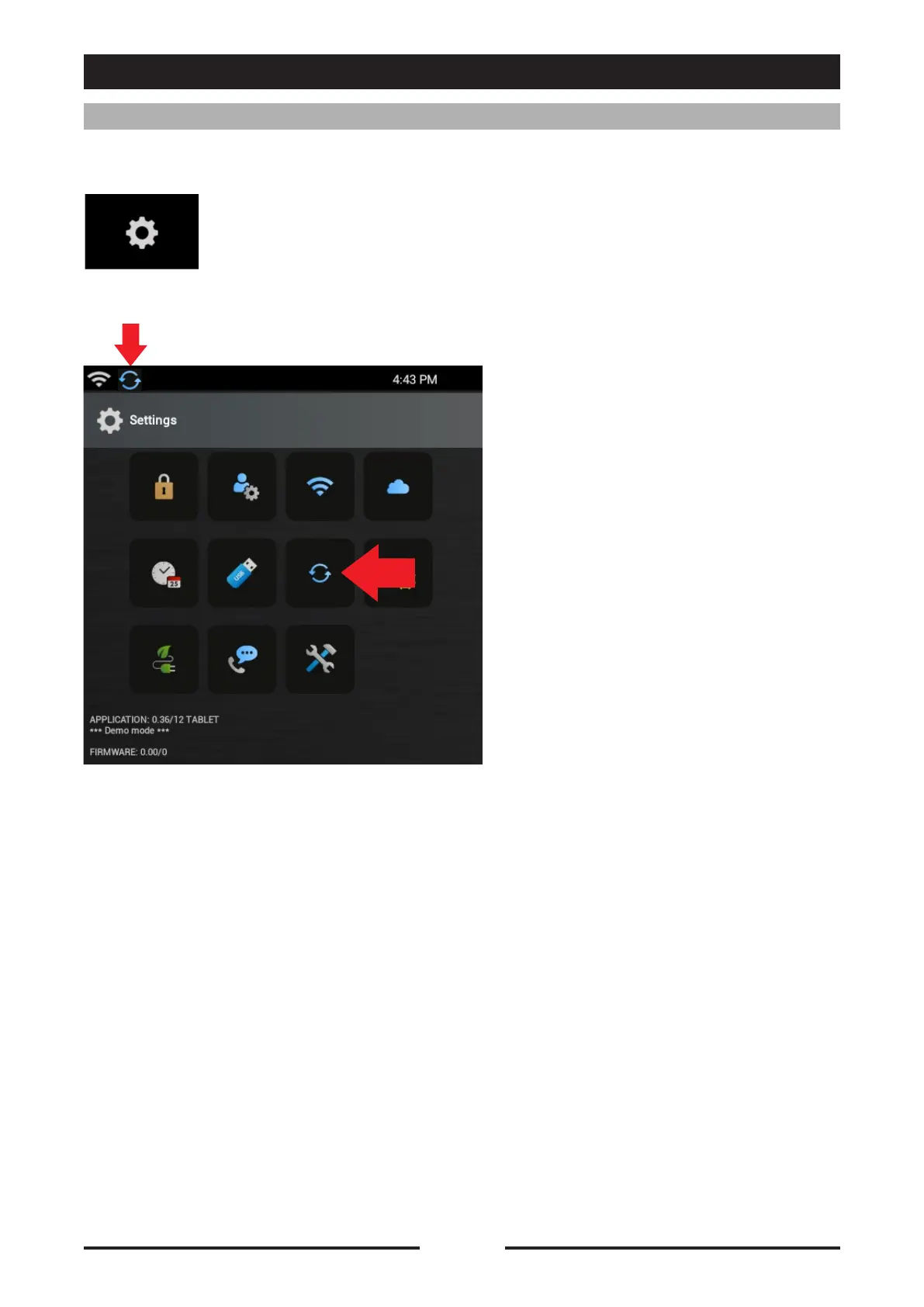
Press the icon to access the Oracle settings.
Press the icon “Software Update”
to access the update screen.
If there is a Software update
available there will be an icon in the
notifications area in the top left.
Oracle can be constantly updated to the latest available Software version.





 To Next Page