90038900rev00
- 33 -
LOGIN TO THE CLOUD ACCOUNT
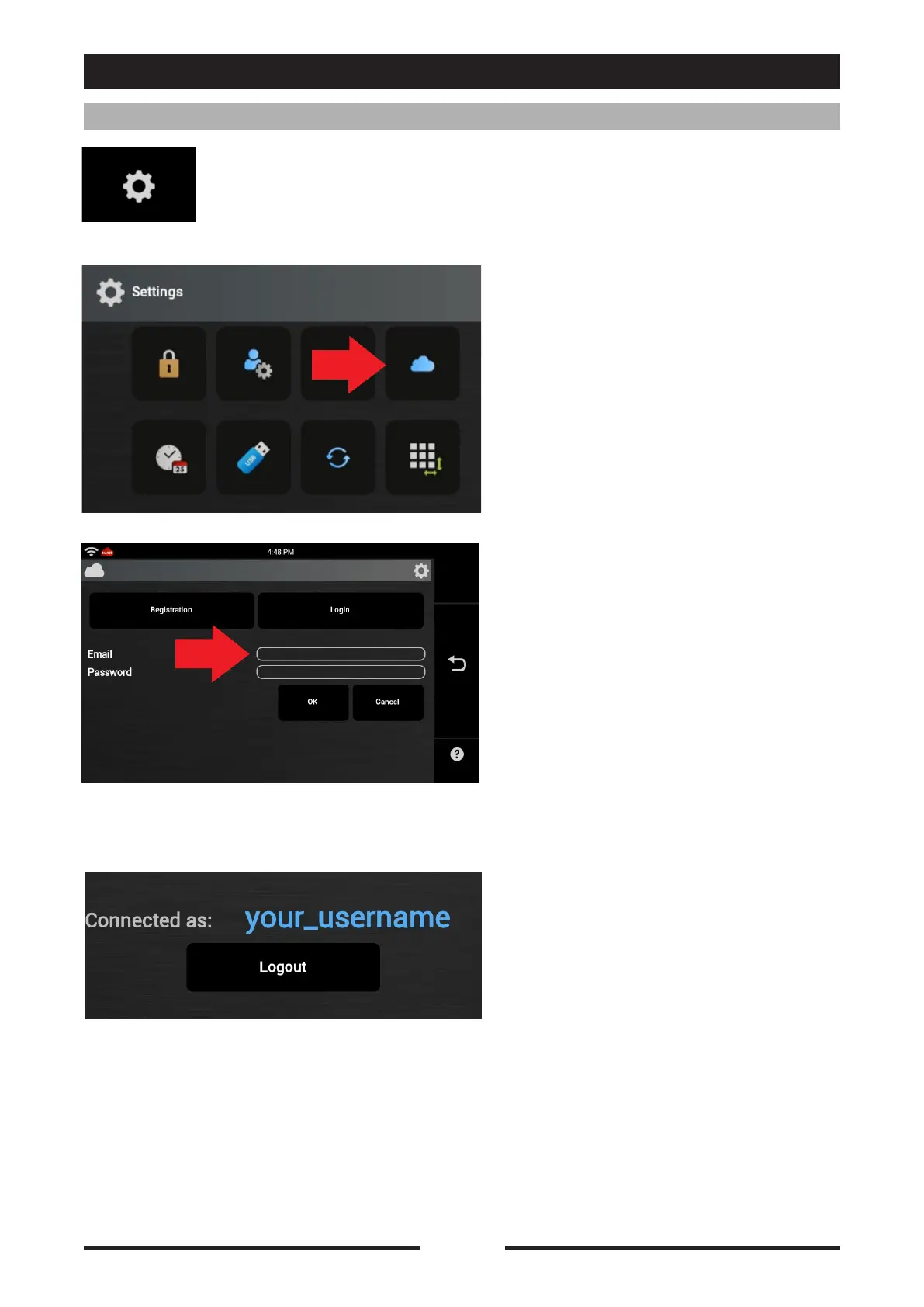
Press the icon to access the Oracle settings.
Press the icon “Cloud Settings” to
access the Registration/Login to the
Oracle Cloud screen.
Enter the “Username” and
“Password” given during registration
and press OK.
After a few seconds the following
screen will appear indicating that
connection has been made to the
Oracle Cloud.
CLOUD ACCESS CONFIGURATION






 To Next Page