Graphical user interface 6
Issue EN 2022/05 PUK 6 Operating manual
6 Graphical user interface
The graphical user interface has the following basic functions:
• Setting the welding parameters
• Displaying recommended welding parameters
• Selecting different operating levels or functions
• Performing test functions
• Showing error messages
6.1 Main menu
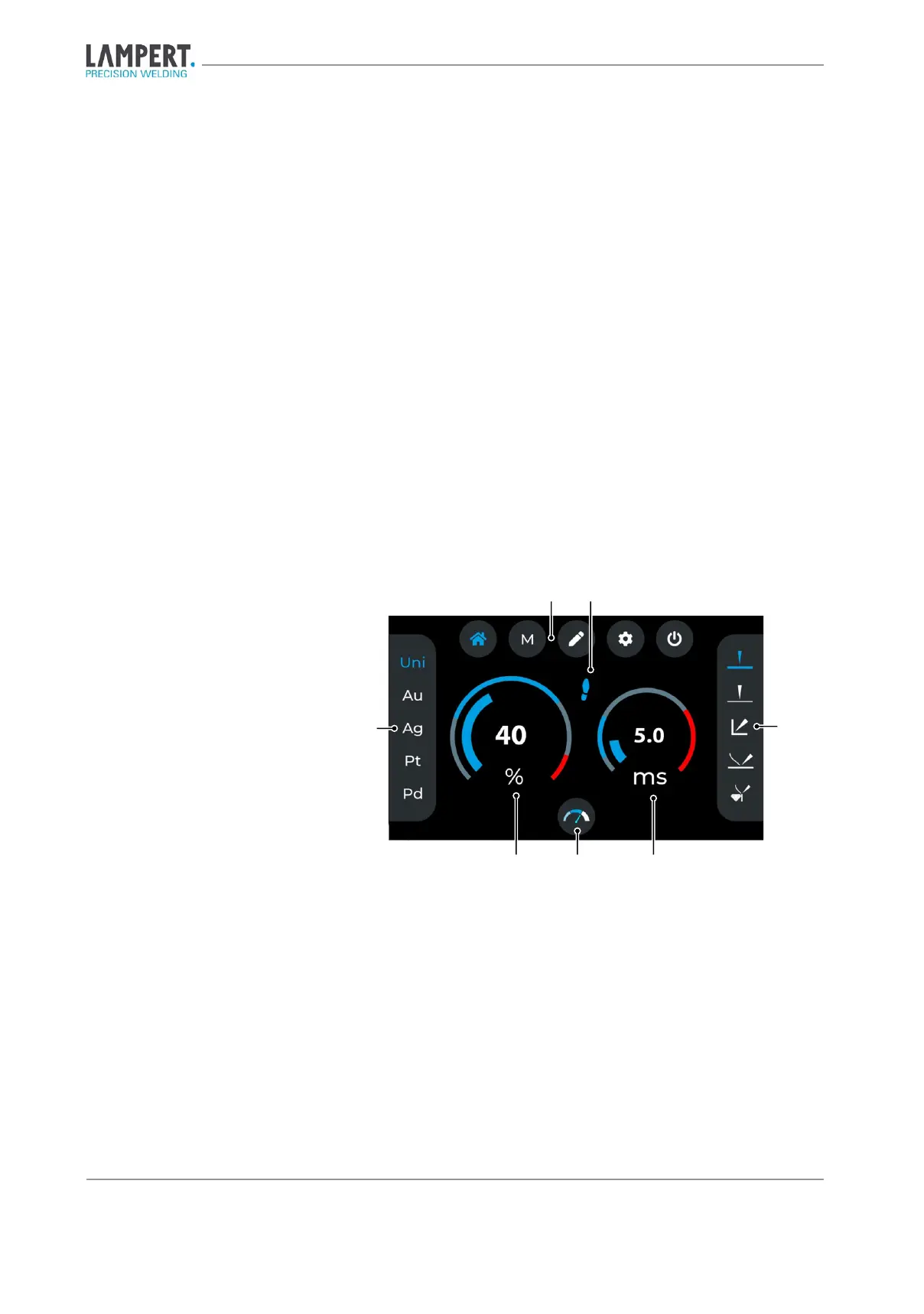
Fig. 6.1 Main menu
1. Material selection
2. Menu bar
3. Foot switch activated (optional)
4. Geometry selection
5. Pulse duration in milliseconds
6. Speed levels
7. Welding power (in percent)


 To Next Page