Graphical user interface 6
Issue EN 2022/05 PUK 6 Operating manual
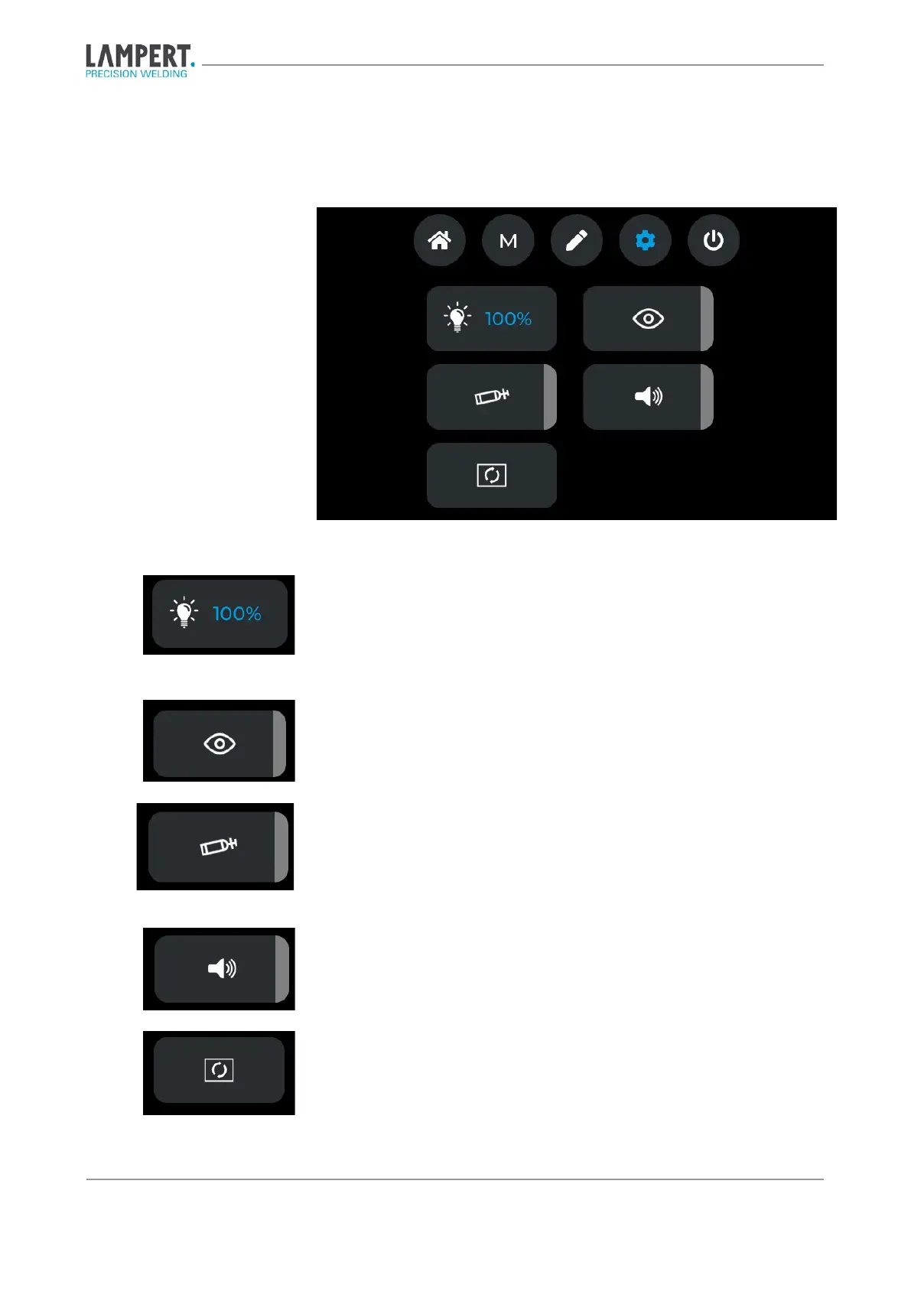
6.4 Settings menu
Fig. 6.8 Settings menu
Here the brightness of the LED illumination in the microscope can be se-
lected in the steps 0%, 25%, 50%, 75% and 100% by pressing the rotary-
push control.
Here the eye protection filter is activated and thus darkened. With this func-
tion, the Lampert eye protection system can be checked for correct function.
Here the gas valve in the device is opened. This function is used to be able
to set the gas flow correctly on the flow controller (recommended gas flow
2 – 3 l/min).
Here the welding tone to announce the start of the welding process is acti-
vated or deactivated.
This opens the update menu.


 To Next Page