LANCOM 821+ – LANCOM 1711+ VPN – LANCOM 1721 VPN
Chapter 2: Installation
16
EN
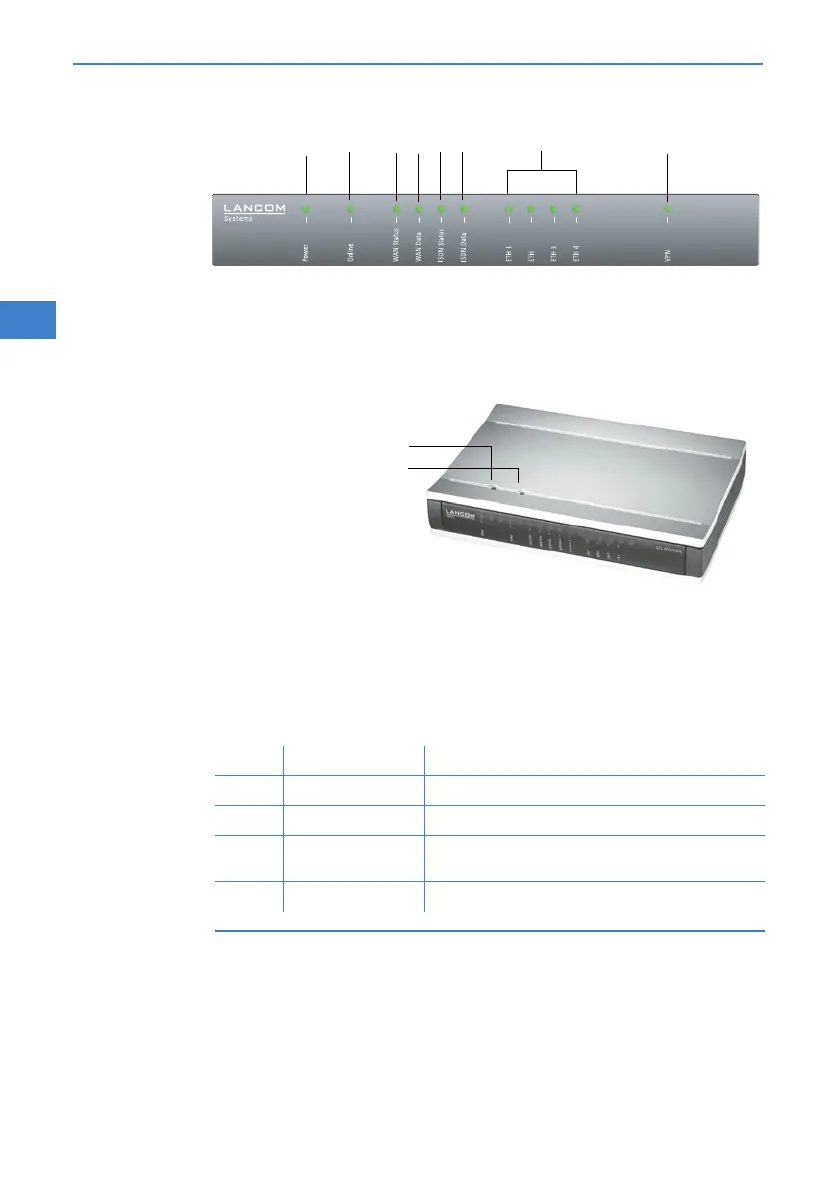
LANCOM 1711+ VPN
Top
The two top-mounted LEDs enable the main function status to be assessed
even if the device is positioned vertically.
Power
This LED indicates that the device is operational. After the device has been
switched on, it will flash green for the duration of the self-test. After the self-
test, either an error is output by a flashing red light code or the device starts
and the LED remains lit green.
The power LED flashes red/green in alternation until a configuration
password has been specified. Without a configuration password, the
configuration data of the LANCOM is insecure. Under normal circum-
stances, you would assign a configuration password during the basic
configuration (see instructions in the following chapter). For informa-
1711+ VPN
Power
WAN Status
Online
WAN Data
ETH 3
ETH 4
ISDN Status
ISDN Data
ETH 1
ETH 2
VPN
Power
WLAN-Link
off Device off
green blinking Self-test when powering up
green constantly on Device ready for use
red/
green
blinking alternately Device insecure: configuration password not assigned
red blinking Time or connect-charge reached



 To Next Page