microSTAR®ii User Manual v1.3 79
CHAPTER 11 CLEANING
PROCEDURES
The new microSTARii drawer is designed to assure tight positioning inside the reader sleeves. Traces
of dust/debris can develop over extended use through the normal operation of pushing and pulling
the drawer in and out of the reader. The drawer can also develop sharp edges over time due to normal
wear and tear. We recommend inspecting the bottom of your drawer for sharp edges before each
cleaning. If sharp edges are found, please contact LANDAUER InLight® Customer Service to order
a replacement drawer (Telephone: 800-561-2708, email: inlightcustserv@landauer.com).
The following cleaning procedure is recommended at a minimum of once per 1000 open/close cycles
of daily operation, or more frequently if dust or debris is observed:
PRECAUTION:
Always use personal protective equipment to protect skin and eyes when
handling chemicals and using pressurized cleaning products.
11.1 Preparation:
1. Power off the reader.
2. Remove the reader drawer.
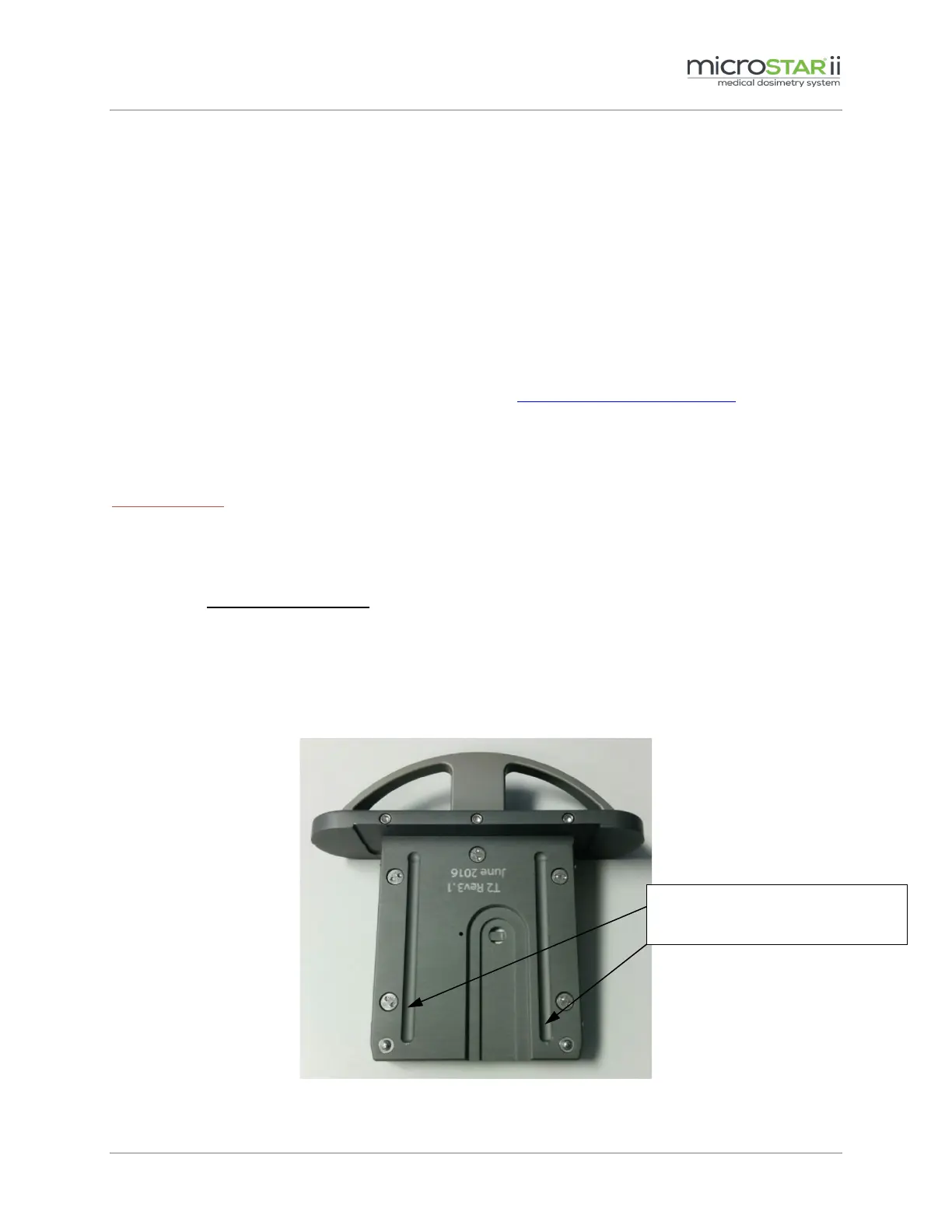
3. Inspect the bottom of the drawer for sharp edges on the sliding grooves.
Figure 11-1: Drawer Bottom
Look for sharp edges developed
to the sliding grooves.


 To Next Page