Network Computing Platforms
IntelRCSetup
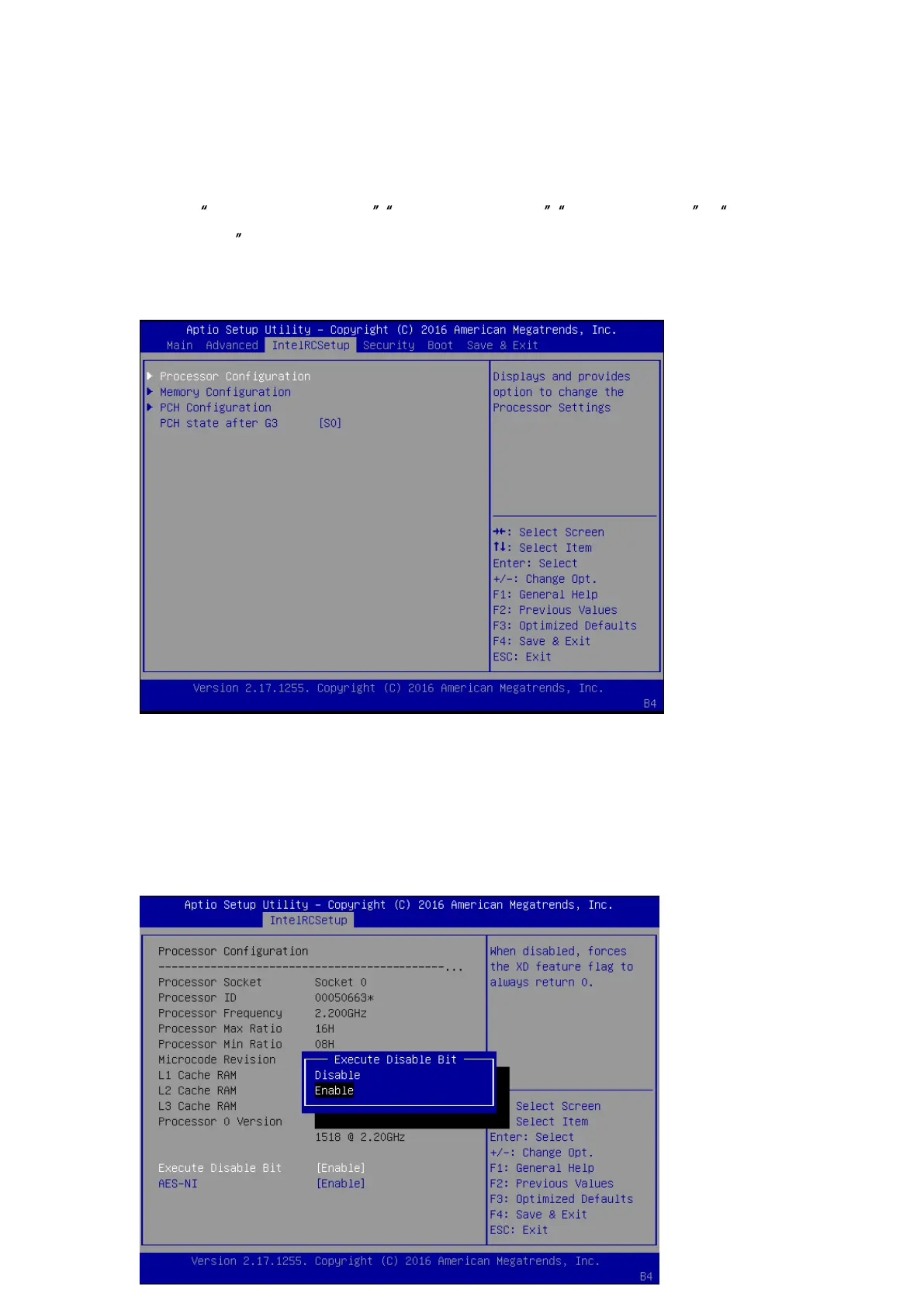
Use [<--] / [-->] to select [IntelRCSetup] setup screen. Under this screen, you may use [↑] [↓]
to select Processor Configuration , Memory Configuration , PCH Configuration or PCH
State after G3 to change the settings of CPU, memory and PCH functions.
Processor Configuration: displays and provides options to change processor settings.
Press “Enter” to access its sub-menu.
Under Process Configuration, information about the CPU including socket, ID, frequency and
cache information will be displayed.
Execute Disable Bit: an Intel hardware-based protection against malicious code. It will
detect the memory in which a code can be executed or not. When enabled, it will prevent
certain classes of malicious buffer overflow attacks when combined with a supporting OS.
When disabled, it forces the XD feature flag to always return 0.



 To Next Page