20
The system
is
built-
in
TV function(optional). It supports
TV
signal inputs of
all
colour and sound
syslemS.
• Enter
Cli
ck
TV icon
in
main interface/press MODE key
in
remote controll
to
switch and
en
ter TV mode
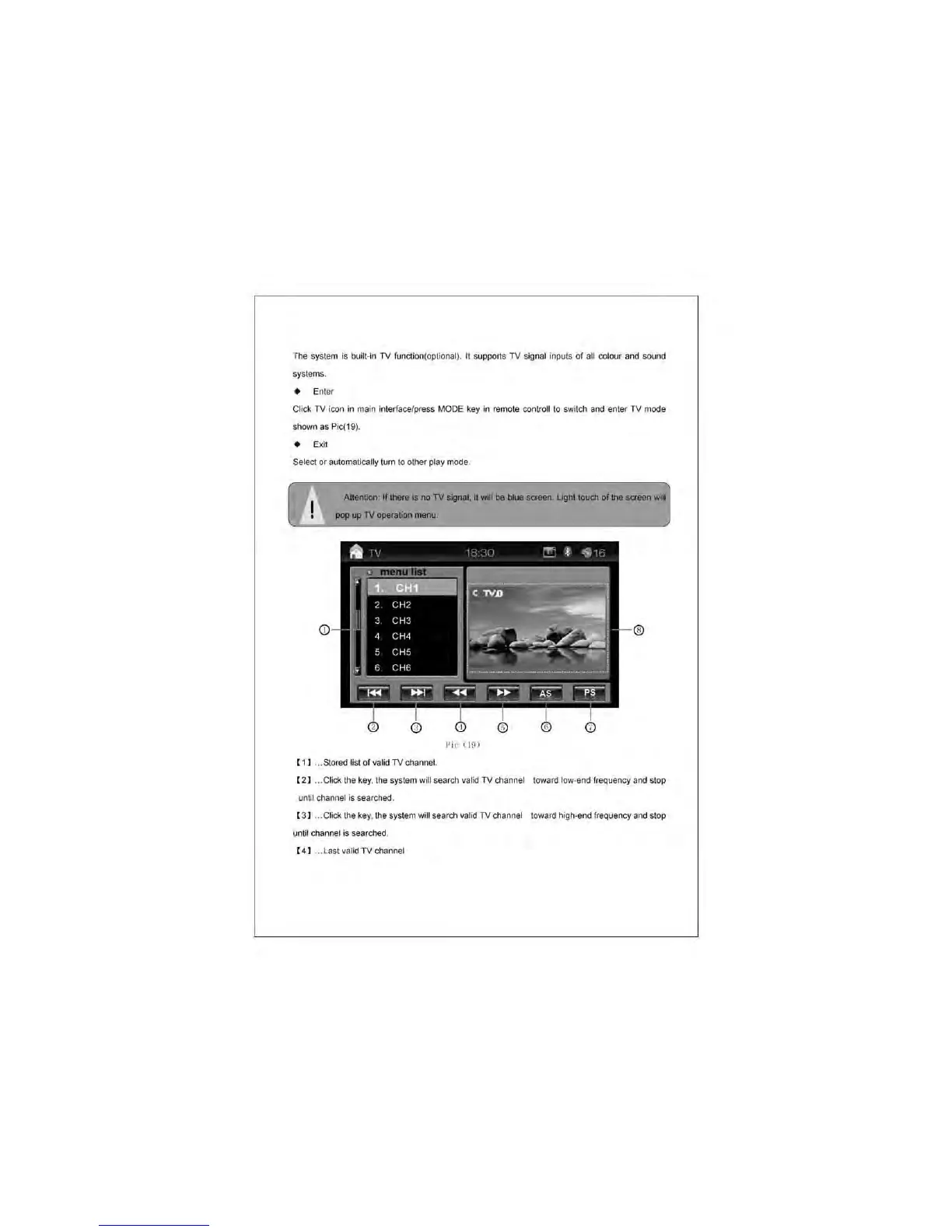
shown as Pic(19).
• Exit
Select or automatically tum
to
other play mode.
Attention:
II
!here is
no
TV
lignal.
H
wII
be
blue
1CtHfl.
UghI
touc:h
pop
up
TV
operation
menu.
Pic
(9)
( 11 ... Stored list
of
val
id
TV channel.
( 21 ... Click the key. the syslem will search valid TV channel toward low-end frequency and stop
unm
channel
is
searched.
( 31 ... Click the
key.
the system will search valid
TV
channel towa
rd
high-end frequency and stop
until chaflr.el is searched.
( 41 ...
last
valid
TV
channel



 To Next Page