19
[
15
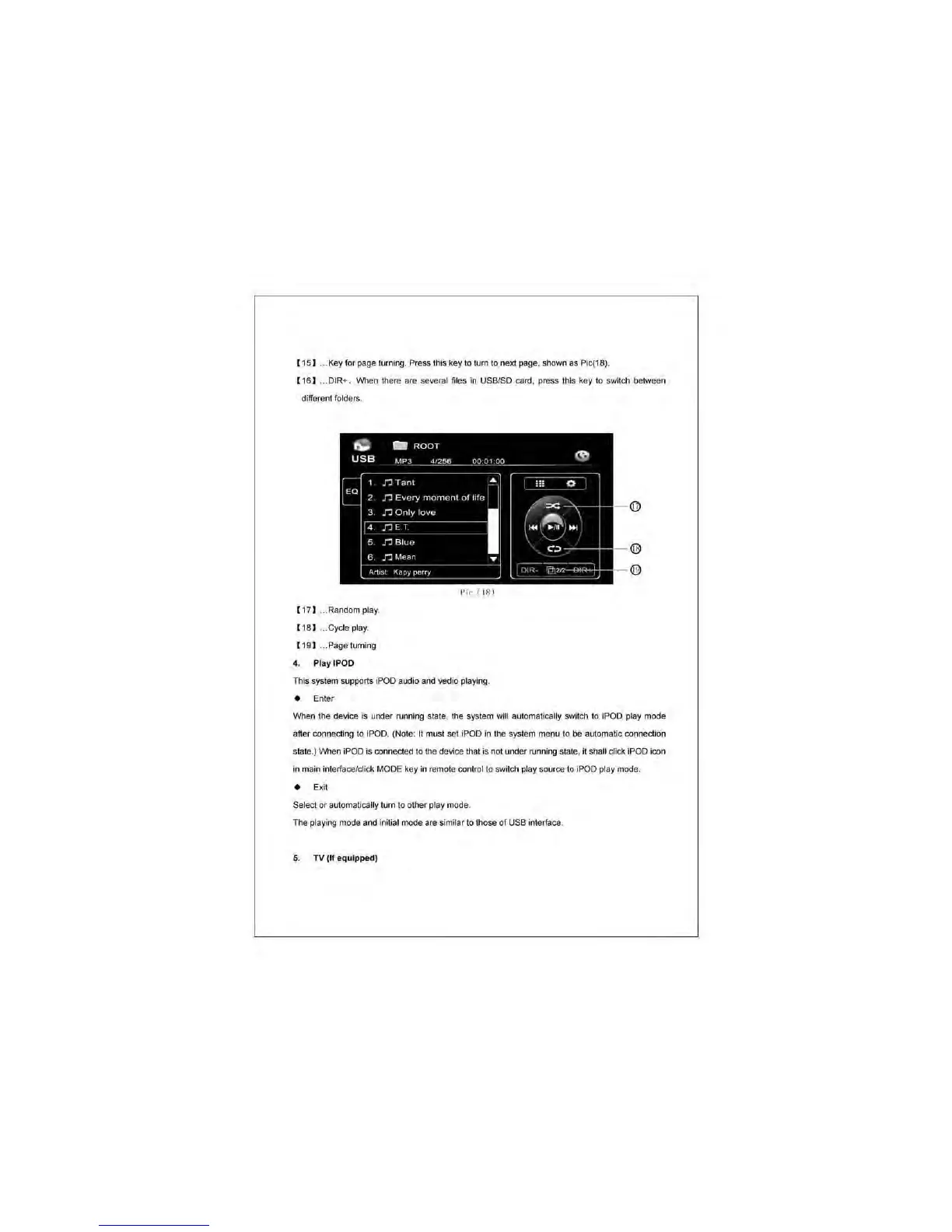
1 .. _Key for page turning _ Press this key to turn
to
next page, shown as
Pic(181_
[
t6
] ... DIR+. When there are several files
in
USBISD card, press this key to switch between
different folders.
t,;:
-
ROOT
USB
11,1"3
4
..
20>6
000'00
•
['a
n
Tanl
,
n
Every
rnornenl
01
hIe
3
r.
Only
love
I
,
r.
E:
T
,
r.:
Blue
,
n
Mean
•
A,,,,,
K"py
P~"Y
[
t7
]
...
Random play.
[
18
1 .. _Cycle play.
{
t9
] ... Pagetuming
4. Ptay tPOD
Pic (
IS)
This system supports iPOO audio and
~io
playing.
• Enter
~
:;;
0
i =
,'I
... e
.,
CO
<I}
i)l"
4t)r
..
When the device is under running state, the system will automatically
SW~ch
to iPOD play mode
a
ller
connecting to iPOD. (Note: It must
se
t iPOD
in
the
system menu to
be
automatic connection
state_)
When iPOD is connected
to
the device that is not under !\Inning state, it shall click iPOD icon
in
main interface/dick MODE key
in
remote control
to
switch pl
ay
source to iPDD play mode.
• Exit
Select or automatically tum
to
other play mode.
The playing mode and initial mode are similar to those of USB intertace.
5.
TV
(
If
equipped)



 To Next Page