22
Select or automatically turn
to
other play mode; Exit reverse gear.
8.
Bluetooth
(
if
equipped)
This device has blueloolh
and
hand free function. If your mobile has bluetoolh function, il
can
sel
up
point-to-point connection with this device
To
make
and
receive calls
as
well
as
play music are
achieveable
on
the screen.
Note:
1.
Thi
mobile
musl
support
bluetoolh
A20P agreemenllO
play
muSIC.
• Enter
2.\f\,ben
Ole
device
is
under
running
slate
.
regardleSs
of
any
presenl
mode.
the
syStem
wil
aulomatiCally
SWiICh
10
bluetooth
and
hand
free
mode
if
a cal is
in
Click Bluetooth icon
in
main inlertace/click the small icon for
BT
in
the top right corner of the
screen/press MODE key
in
remote control
to
switch to bluelooth
and
hand free mode. When the
bluetooth of mobile
is
connected with the system.
it
will automatically switch
to
bluetooth and hand
free mode if a call
is
in.
• Exit
Select or automatically turn
to
other play mode.
Or
hang up the phone.
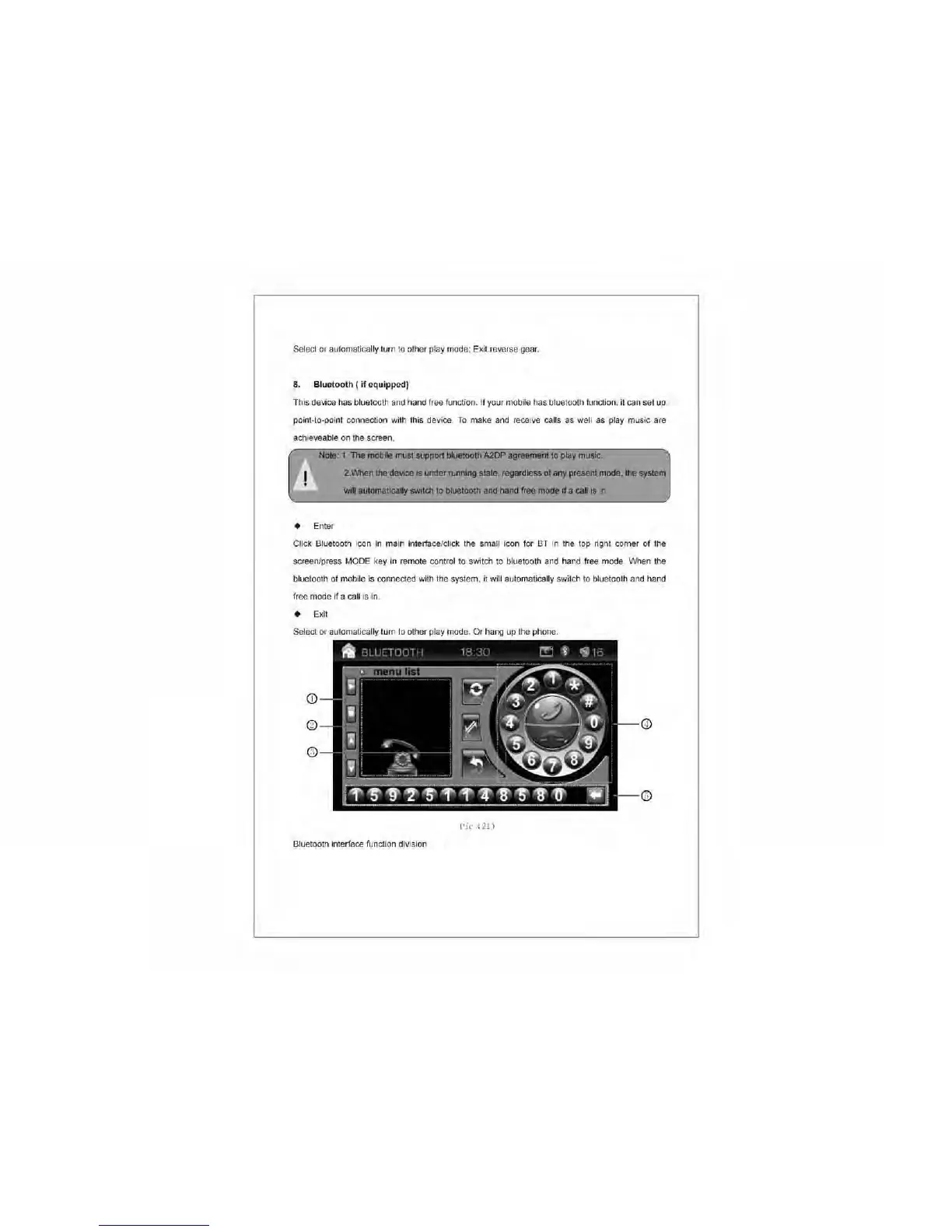
Pic
(21)
Bluetooth interiace function division



 To Next Page