23
[1]
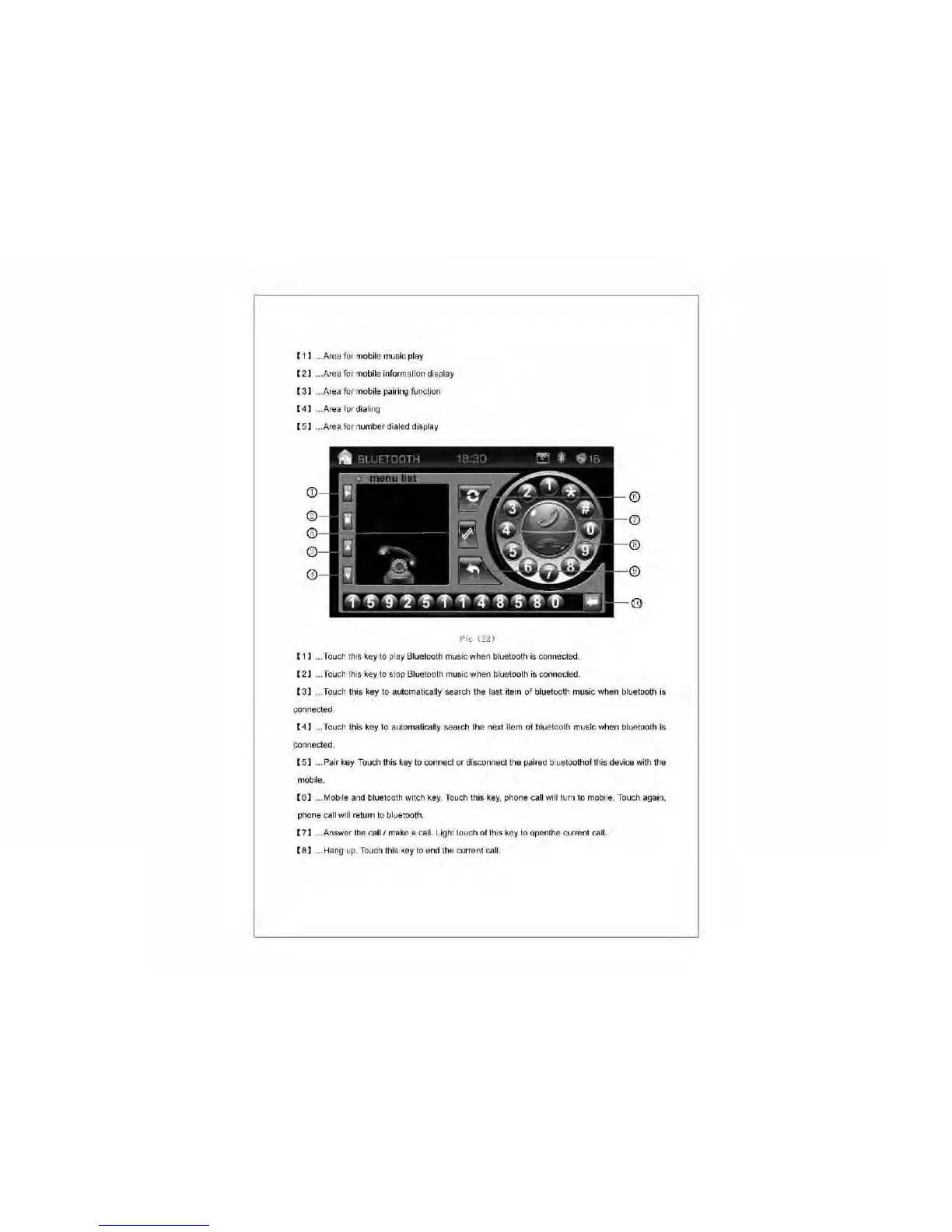
... Area for mobile music play
[2]
... Area for mobile information display
[3]
... Area for mobile pairing function
[4]
... Area for dialing
[5]
... Area for number dialed display
~)ic
(22)
[1]
... Touch this key to play Bluetooth music when bluetooth
is
connected.
[2]
... Touch this key to stop Bluetooth music when bluetooth
is
connected.
[3]
... Touch this key to automatically search the last item of bluetooth music when bluetooth is
connected.
[4]
... Touch this key to automatically search the next item of bluetooth music when bluetooth
is
connected.
[5]
... Pair
key.
Touch this key to connect or disconnect the paired bluetoothof this device with the
mobile.
[6]
... Mobile and bluetooth witch
key.
Touch this
key,
phone call will turn to mobile. Touch again,
phone call will return to bluetooth.
[7]
... Answer the
calli
make a call. Light touch of this key to openthe current call.
[8]
... Hang
up.
Touch this key to end the current call.



 To Next Page