24
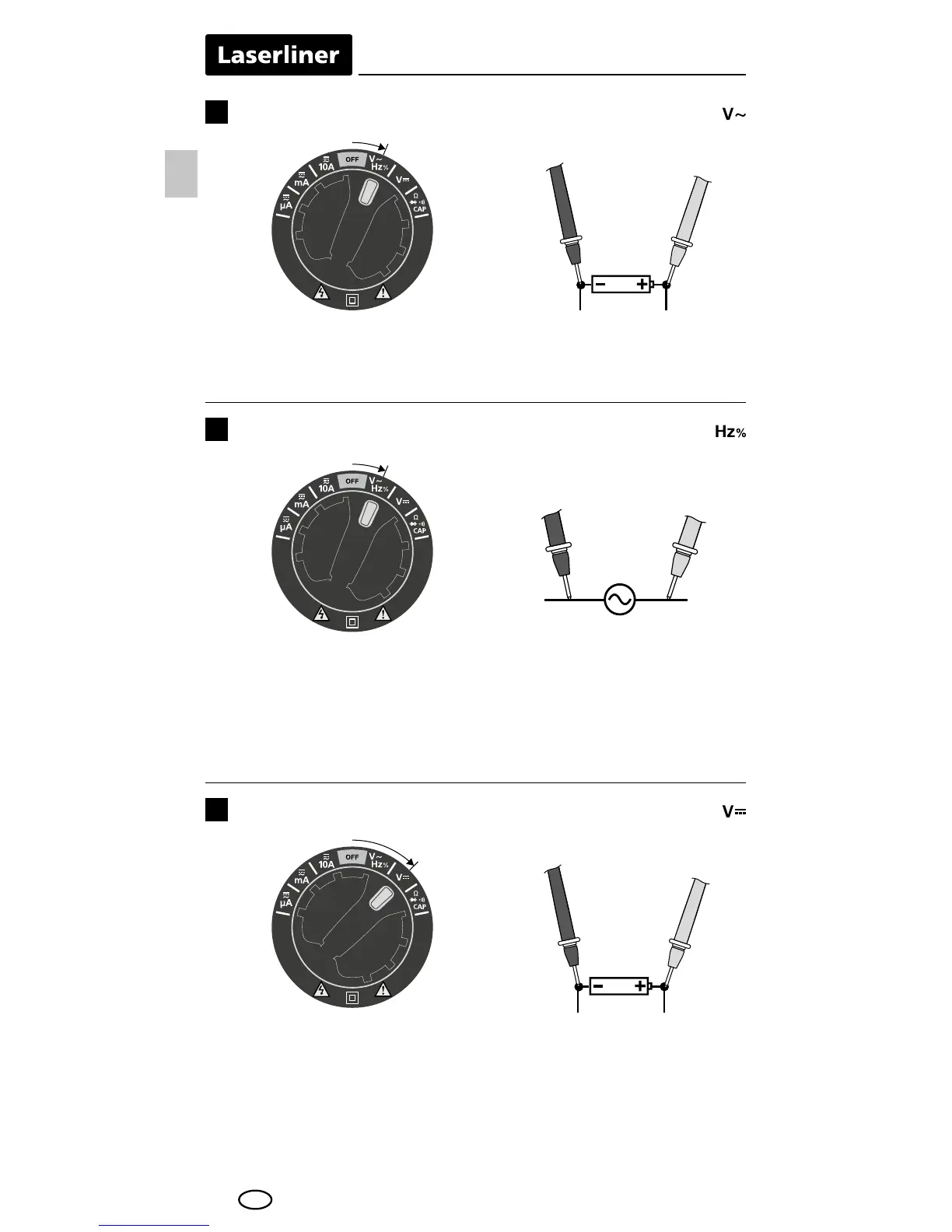
Voltage measurement AC
5
To measure the AC voltage turn the rotary switch to position "V~".
Then connect the measuring contacts to the object to be tested.
The measured value acquired and the polarity appear on the display.
Red
Red
Black
Black
Frequency and duty factor measurements
6
Voltage measurement DC
7
To measure the frequency turn the rotary switch to position "Hz" /
"%" and press the „Mode“ button once to activate the "frequency
measurement" function. Then connect the measuring contacts to
the object to be tested. Press the "Mode" button to switch from
Hz to % (duty factor).
To measure the DC voltage turn the rotary switch to position "V
–...
".
Then connect the measuring contacts to the object to be tested.
The measured value acquired and the polarity appear on the display.
Red
Black
EN




 To Next Page