EasyManua.ls Logo

LaserPro Explorer - User Manual

LaserPro Explorer
12 pages
Print Icon
To Next Page IconTo Next Page
Loading...
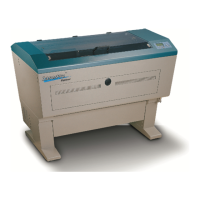
Explorer
Beam Alignment
Remember to always wear safety glasses while doing any open beam tests.
Copyright Koser Enterprises, Inc 2006
Member of the LaserProNA.com group
Rev 1.00003
www.LaserProNA.com
NA
LaserPro Dealers of North America
Question and Answer IconNeed help?

Do you have a question about the LaserPro Explorer and is the answer not in the manual?

Summary

LaserPro Explorer Beam Alignment

Mirror 2 Alignment

Procedure to check and align Mirror 2 for a perfect beam path from Mirror 2 to Mirror 3.

Mirror 3 Alignment

Steps to adjust Mirror 3 for aligning the beam path from P3 to P4, focusing on the lens carriage.

Mirror 1 Alignment

How to adjust Mirror 1 to ensure the beam correctly strikes the center of the lens.

Red Beam Adjustment

Aligning the Red Beam pointer with the CO2 beam's final test spot using Mirror 0.

Setting Machine Origin

Summary

LaserPro Explorer Beam Alignment

Mirror 2 Alignment

Procedure to check and align Mirror 2 for a perfect beam path from Mirror 2 to Mirror 3.

Mirror 3 Alignment

Steps to adjust Mirror 3 for aligning the beam path from P3 to P4, focusing on the lens carriage.

Mirror 1 Alignment

How to adjust Mirror 1 to ensure the beam correctly strikes the center of the lens.

Red Beam Adjustment

Aligning the Red Beam pointer with the CO2 beam's final test spot using Mirror 0.

Setting Machine Origin

LaserPro Explorer Specifications

General IconGeneral
Laser ClassClass 2
Laser Type635 nm, <1 mW
Battery Type2 x AAA
DisplayLCD
Accuracy± 1.5 mm
Operating Temperature0°C to 40°C
Battery LifeApprox. 5000 measurements