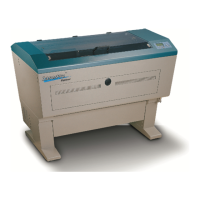
Last but not least follow the direction on how to reset origin.
Remember to always wear safety glasses while doing any open beam tests.
How to set Origin on an Explorer using Calipers
In your software create a .5” rectangle located .5” from the top and .5” from the
left of the page.
Vector engrave this rectangle on coated brass or aluminum.
Using a pair of calipers measure the actual distance from the top of the plate to
the top edge of the rectangle. Next measure the distance form the left edge of
the material to the left edge of the rectangle. (When measuring use the center of
the line width as reference point.)
As an example lets say the top distance was exactly .5”. However, the left
distance turned out to be .435”. This of course is a difference of .065”
Turn off the Explorer.
Turn Explorer back on while holding down the Enter button on the Explorer’s
control panel.
Release the Enter button after the Explorer’s display shows Set Origin Page at
the top of the screen.
After the lens carriage has moved to the upper left-hand corner press the Enter
button.
Your display will list two sets of numbers. We are only going to work with t he left
column.
You will see a value for X and one for Y. (X is left to right, while Y is front to back
movement.)
In our example let’s say X value on the display is .004. We need to add .065 to
locate origin properly .004+.065=.069
Press the right arrow until the lens carriage starts to move. Let go and check to
see if how far you have moved. The display does not change while moving. Use
whatever arrows necessary to properly set the origin on your machine. In our
example we want X=.065, or as close as we can get.
When you are satisfied with the location press the Enter button.
Press the Start button. In about 20-40 seconds the Explorer will initialize and be
ready to run.
Run your rectangle job again. If satisfied with location you are done. If the
location is still off start at the top of this page and repeat.
11


 To Previous Page
 Loading...