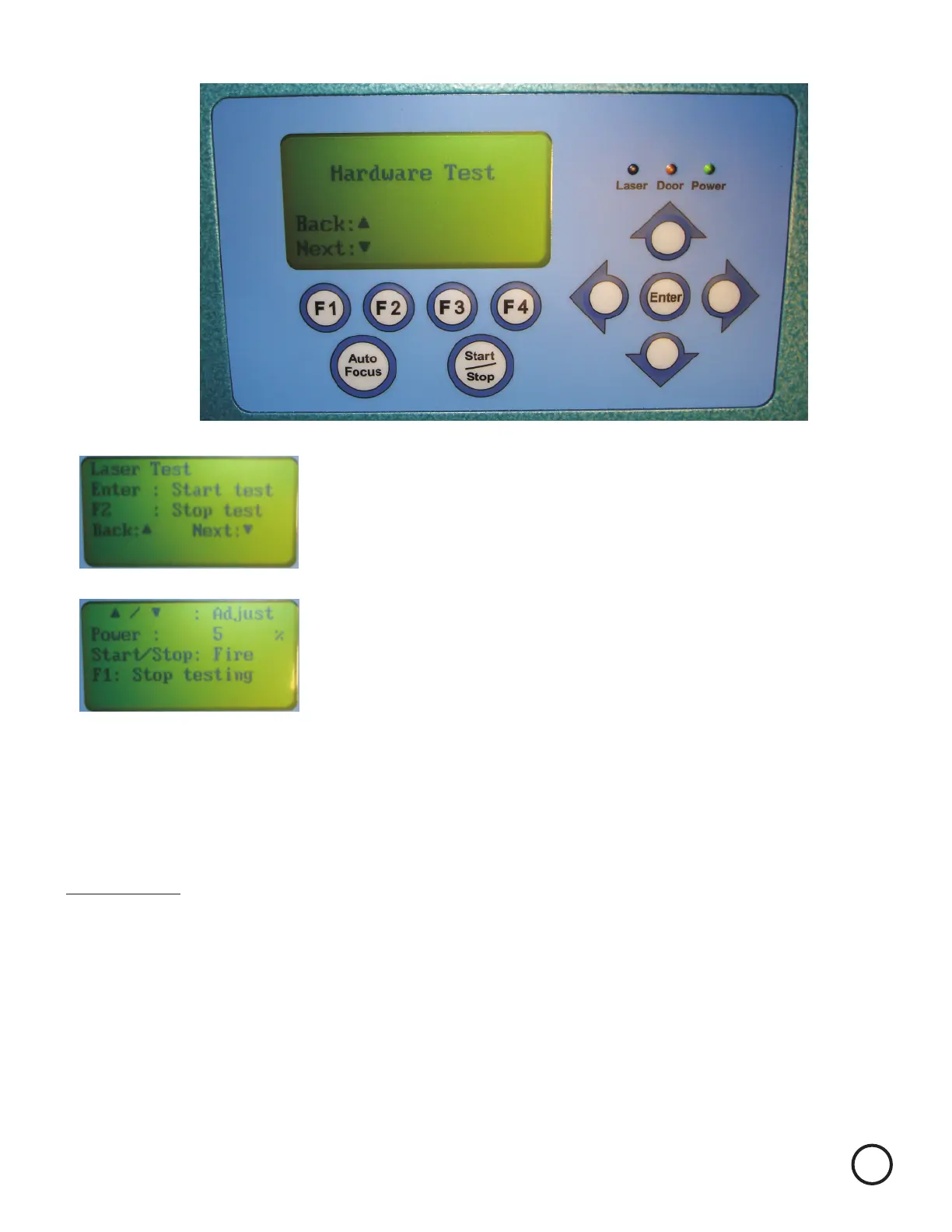
After the unit initialize the Display will look like this.
Press the Up Arrow until the display looks like this.
It will say Laser Test
Press Enter and the display looks like this.
Power should now read 5%. High wattage laser may need
to be lowered to 4 or 3%. Use the Up and Down arrows as
required to adjust the power. In general you want the power
to be strong enough to burn but low enough to make the
mark very light.
You are now ready to check your beam alignment.
Position the X axis in PI (Diagram 1 on page 2) The X axis should be pushed all the way back.
Close the Lid.
Pull the x axis arm toward you and look at the back of Mirror 3. There should be a small brown/black
burn mark. If there is not repeat above until you burn a small spot. If you burn a big spot you
will need a new piece of tape and repeat again.
Press the START key fo about a second, or less. A small amount of smoke should be seen.
Orange
Remember to always wear safety glasses while doing any open beam tests.
2


 To Next Page