- 5 -
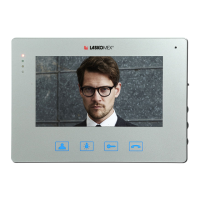
Color monitor MVC-8151
Control of the electric strike and drive of the entrance gate
The LOCK and CONTROL buttons are active only during the call (conversation).
Pressing the LOCK button will release the entrance lock (electric strike or electromagnetic
lock),whichisindicatedbytheLED2blinking.
LongpresstheCONTROLbuttonwillactivatetheadditionaldevice,forexamplethedrive
of the entrance gate. Switching on the additional device is signaled by the LED4 which will
turn on for approx. 1 second.
Connection to porter
Tosendanoticationtotheportermodule,longpresstheCONVERSATIONbutton.
ReceivingthenoticationissignaledbyalongblinkofLED1andLED2.Ifthenotication
isnotreceived,LED1andLED2willbrieyashseveraltimes.Theportercanpickupthe
call immediately or call later.
Adjusting the call volume
The call volume can be adjusted in two ways:
- using the User menu (adjustment in the door entry system – Figure 3).
-usingtheKEYbuttoninthemonitor.Inthiscase,theselectedvolumeissignaledbyLED1
andLED2(LED1–loud,LED2–quiet,LED2ashing–calldisabled).
FastashingLED1orLED2meansthatthelineisbusy.
Adjusting the conversation volume, brightness and color saturation
Tochangetheconversationvolume,imagebrightnessorcolorsaturation,usetheVOLU-
ME,BRIGHTNESSandCOLORpotentiometersontherightsideofthemonitor(Figure1).
Image preview from cameras
Thisfunctioncanonlybeusedifthelineisnotbusy.AfterpressingthePREVIEWbutton,
thecameraimagewillappearinthedoorentrypanel.Inmulti-entrancessystem,images
from several cameras may appear sequentially on the screen. Repeated pressing of the PRE-
VIEW button will turn on the image from the additional camera (if connected).
Thepreviewtimeislimitedtoapprox.2minutes,theapproachingmomentofturningoffis
indicated by the LED1 blinking. Press the PREVIEW button to extend the preview for ano-
ther minute. The installer can block the possibility of preview from cameras.
Note!
The blink of the image that may appear when the preview function is activated is not a symp-
tom of incorrect operation of the device.


 To Next Page