- 6 -
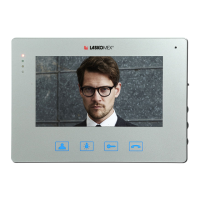
Color monitor MVC-8151
4. Using the door phone
Using the code lock function
• EntertheapartmentnumberandconrmwiththeKEYbutton.
• Whenatthedisplaythe----messageappears,enterthefour-digitlockcode.
• Iftheenteredcodeiscorrect,theentrylockwillbereleased.
• Iftheenteredcodeisincorrect,Errmessagewillbedisplayed.
• The use of a code at the subordinate entrance is signaled in the receiver. Providing cor-
rectcodesignalsthreeshortbeeps,anincorrect–twolongones.
• The code lock function can be blocked by the installer. At the main entrance we use the
same code as at the subordinate entry.
Using the lock function in the mode with building numbering
• Enter the building number from the keyboard at the main entrance.
• Wait until L--- message appears in the display.
• EntertheapartmentnumberandconrmwiththeKEYbutton.
• Whenthe----messageappears,enterthefour-digitcode.
Using electronic keys
Touseelectronickeys,theymustberegisteredinthedoorphonememoryinadvance.
The keys are registered by the installer or user. The door phone user can register the key
using the User menu function.
Using the reader can be blocked by the installer.
Afterapplyingtheregisteredkeytothereader,theentrywillbeunlockedandthedisplay
will show the digit for a moment. This is the key position in the door phone memory. This
numberisworthremembering,becauseitcanbeusefulifyouneedtodeletethekey.
The use of the key can be signaled by three short beeps in the receiver. If an unregistered key
isappliedtothereader,thedotvisibleonthedisplaywillashbriey.
Using the proximity electronic keys (RFID)
• Takethekeyclosetothedoorphonekeypad,whichactasareader.
• Keep the key in such a way that it will be turned to the keyboard with largest possible sur-
face. This position ensures reading from a greater distance.
Using the touch electronic keys (iButton)
• Apply the key to the TM reader.
• Lightly press the key to the lateral edge of the reader.


 To Next Page