8.2.4 Start options of the process duration
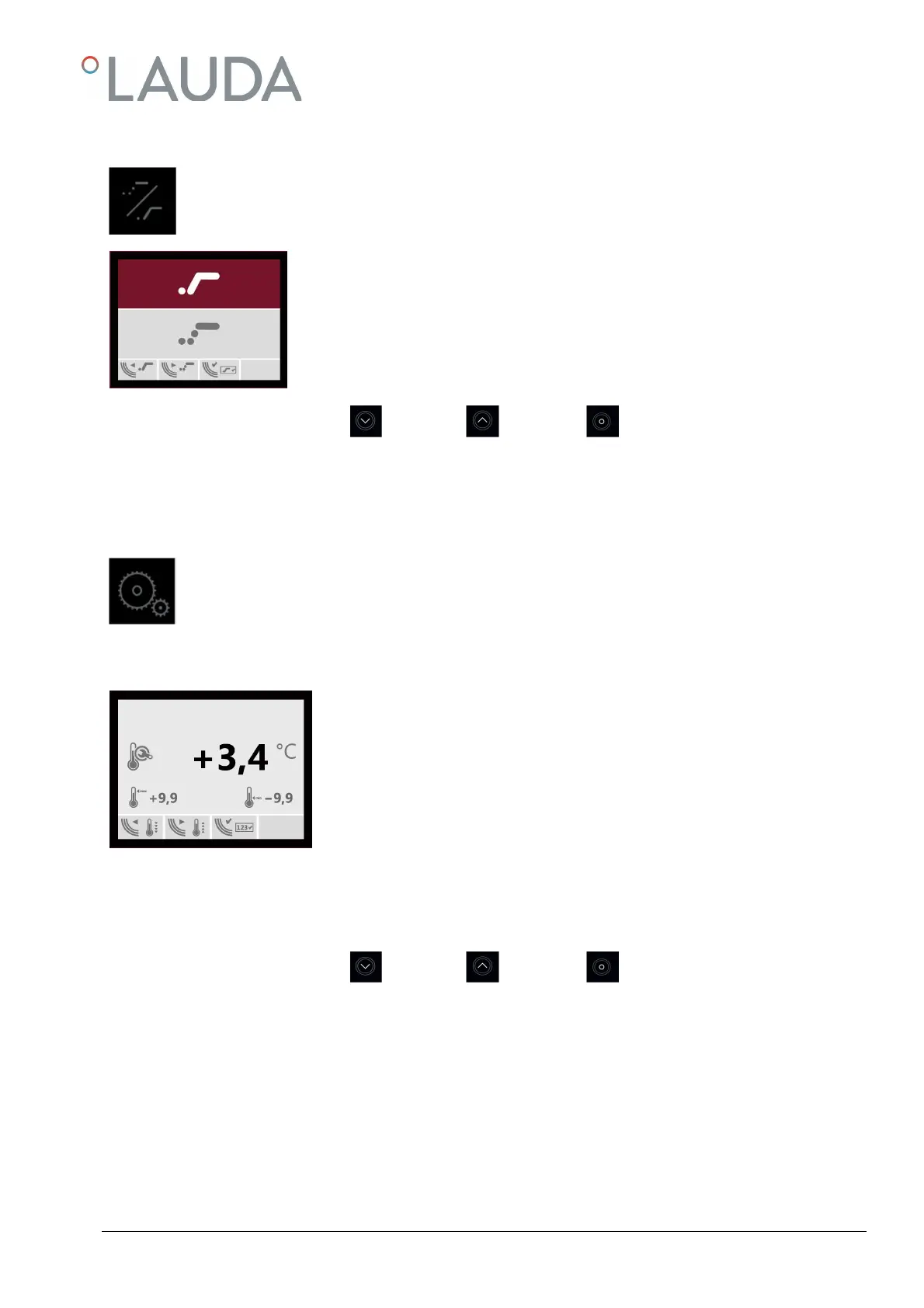
The set process duration starts either after expiry of the pre-set delay time (upper line), or after expiry of the
delay time approx. 0.1 K before reaching the pre-set temperature.
Use keys ① and ② to switch between the two start options. The chosen option is marked
in black and is to confirmed with key ③. The display returns to the menu basic settings.
The symbol of the selected start option is always shown together with the symbol of the
operation time in the input and display windows.
Key
Key
Key
Factory setting start right after expiry of pre-set delay
8.2.5 Adjusting the actual temperature at a certain set point temperature
The user can adjust the actual temperature at a certain process-dependent set point temperature. To do this,
compare the actual temperature shown on the display, after two hours operation with the Water Bath interior
covered, with the displayed value of an external, calibrated thermometer in order to determine the tempera-
ture difference of the measured values. This difference must then be implemented in the input window of the
adjusting function.
Example, after a process duration of two hours at a temperature of 50 °C
Temperature value in the display
Value measured with extern
Difference to the externally measured temperature
In this case, the value in the input window of the adjusting function must be changed
by -0.8 K from +3.4 K to +2.6 K in order to adjust both temperature values.
Set the altered temperature value with keys ① and ② and confirm with key ③. The display returns to the menu basic
settings.
The changed value should be re-confirmed by a second, ensuing temperature measurement.
Key
Key
Key
A factory adjustment was carried out at a temperature of 50 °C.


 To Next Page