18 / 34 Hydro Water Baths 09/2020
8.2.6 Switching back to the main menu
Use key ③ to switch back from the menu basic settings to the main menu.
Key
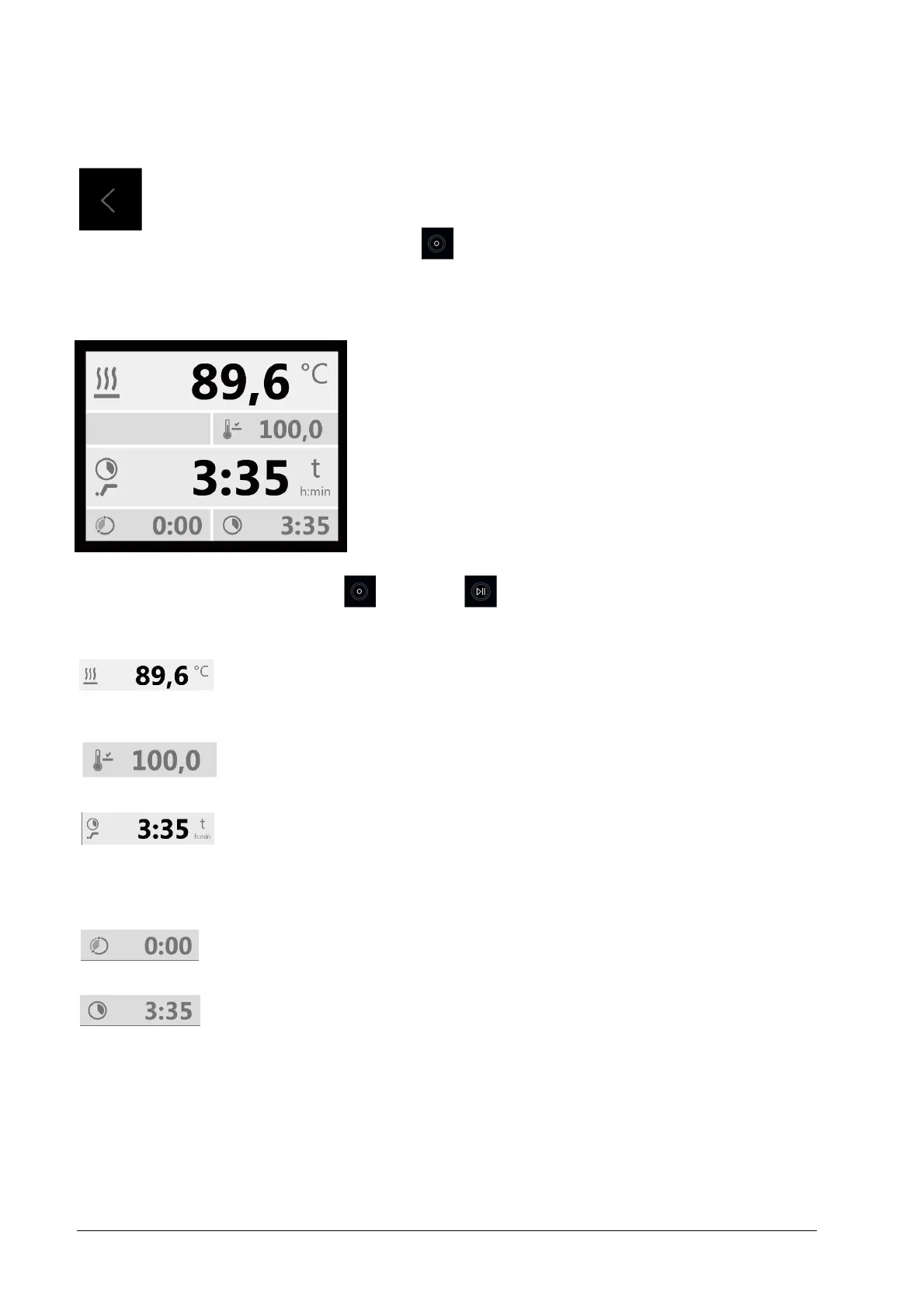
Display of current process data
8.3
After starting the Water Bath with the pre-set process data, press key ④
(hold for 3 seconds) to open a display field showing the current process
data: set and actual values of temperature in °C or °F, switch-on delay and
operation time with their relative function symbols. Expiry of a pre-set
process time is indicated by an acoustic signal which is to be confirmed with
key ③ to be switched off. By pressing key ④ (shortly) all temperature
processes are ultimately terminated, the display of the current process data
switches off and returns to the main menu.
Key
Key
The upper line shows the actual temperature. The depicted thermal energy symbol to the left of
the temperature value shows the energy supply to the heating element. The actual temperature
in the example is 89.6 °C.
Display of the set temperature, in the example 100 °C
Remaining run times of delay and/or operation times (∞ when in continuous operation) with
their relative function symbols. A flashing function symbol signals running-down times of process
times, parallel to the reducing time value. In the example, the process will run for another 3:35
h:min and started without switch-on delay.
Pre-set set point of the delay time. The example shows 0:00 h:min, immediate start without
switch-on delay.
Pre-set set point of the operation time. In the example 3:35 h:min.
Caution,
observe by all means.
To switch off the unit for longer down-times first switch the main switch to position O, then
disconnect the unit from the mains. The Water Bath must be emptied, and the interior dried in
order to avoid germ contamination.


 To Next Page