LAUNCH X-431 GDS User’s Manual
3.3 How to diagnose
In Figure 3-2, click [OK] to proceed to Figure 3-3.
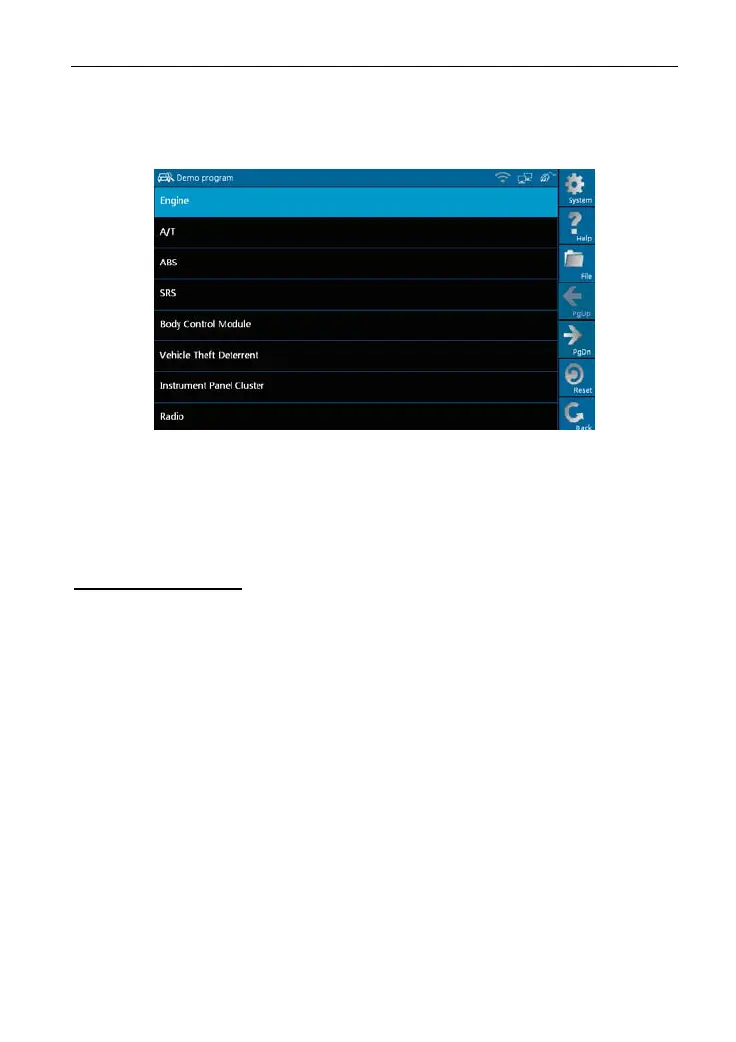
Figure 3-3
Note: Diagnosing different vehicles has the same operation steps (including
the test
model, system, mo
del year and the DLC selection options),
please refer to the page prompts during operation.
Buttons description:
[System]: To display the deskt
op functions, view current version No. and exit
the program.
[Help]: To view help information
for current operations.
[File]: To view "Recently used models" and "Historical driving records".
[PgUp.]: To view
the p
reviou
s page.
[PgDn.]: To view the next pa
ge.
[Reset]: To verifies the SMAR
TBOX again.
[Back]: To go back to the previ
ous interface.
Click [Engine] in Figure 3-3 (If there is more than one page of system menu,
click [Next Pg.] to view.), the system message "Communication is initialized…"
will appear on the screen, as shown in Figure 3-4.
32



 To Next Page