LAUNCH X-431 GDS User’s Manual
Buttons description:
[System]: To display the desktop, view current version or exit the program.
[Help]: T
o view the help information of current operation.
[Info]: To switc
h to "Software downloads Information" interface.
[PgUp]: To view the previous page.
[PgDn]: To view the next page.
[View]:
To view the details.
[Retry]: T
o re-try the current operation.
Select
one
cert
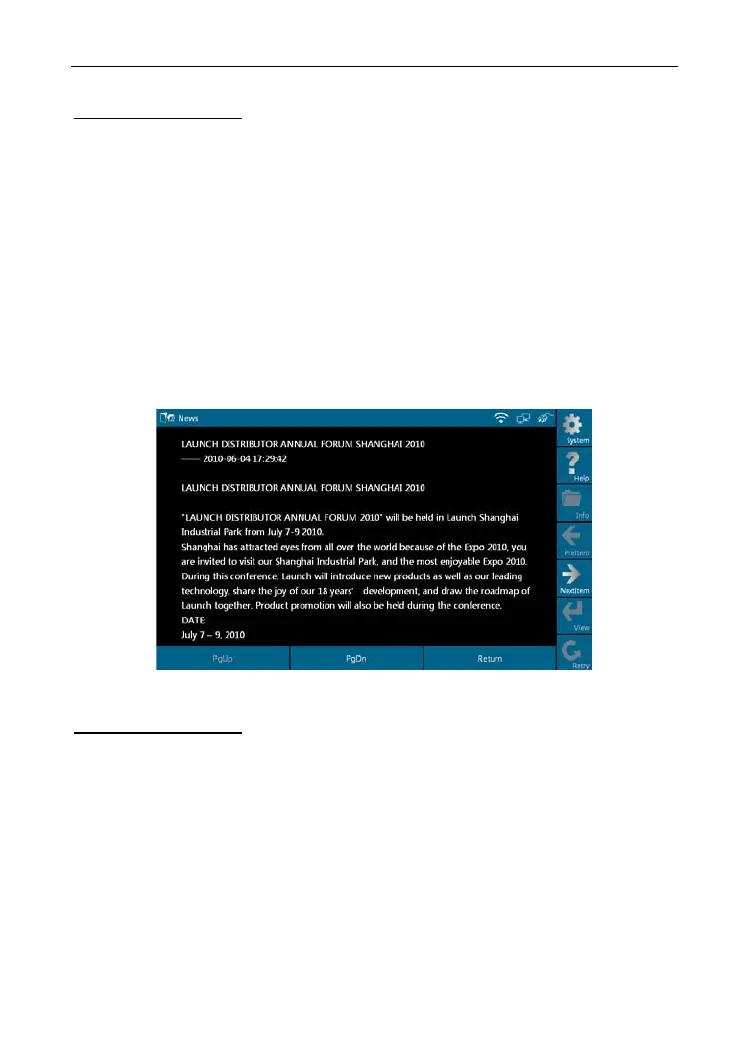
ain news in Figure 6-2 and click [View], det
ailed information will
appear on the screen, as shown in Figure 6-3.
Figure 6-3
Buttons description:
[PgUp]: To view the previous page.
[PgDn]: To view the next page.
[Return]: T
o return to the previous interface.
[NextItem]: T
o view the next item.
If read timeout,
a prompt message will appear on the screen, as shown in
Figure 6-4. In this case, pleas
e check your network configuration and click
"Retry".
48



 To Next Page