LAUNCH X-431 GDS User’s Manual
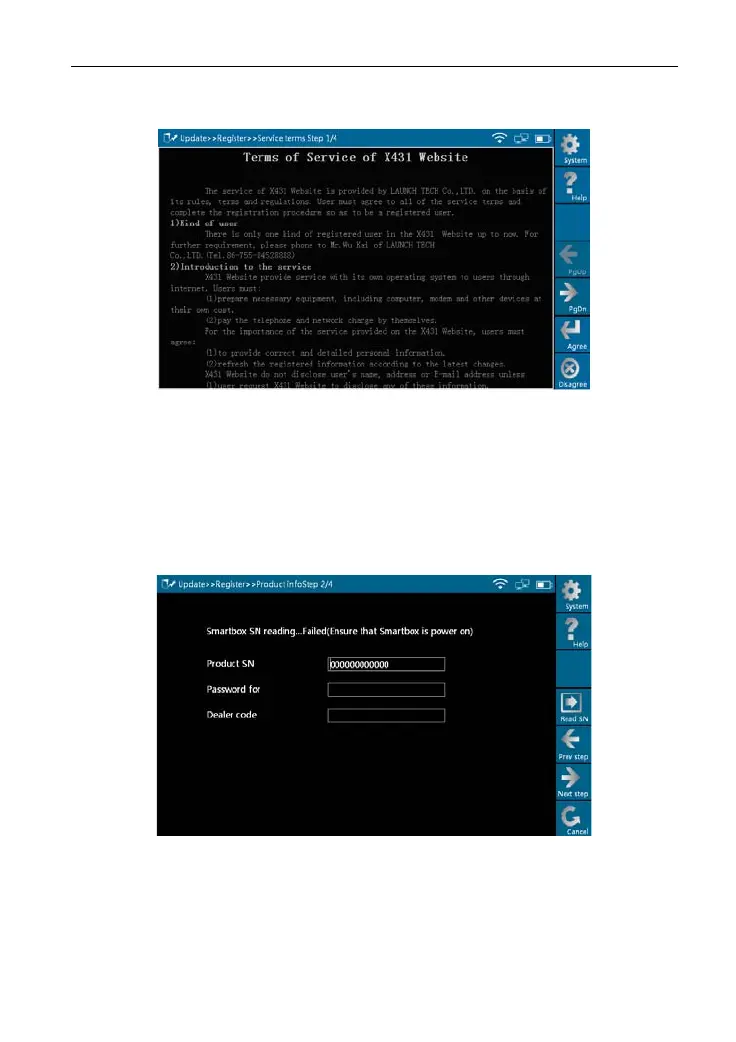
the screen, as shown in Figure 8-1.
Figure 8-1
Read the "Terms of Service of X431 Website" and click [
Agree
] to proceed to
the next step, as shown in Figure 8-2. Some registration information are
required to fill (by stylus or manually input).
Fill the product information
Figure 8-2
By default, Product SN is created by system. While purchasing this product,
you will be of
fered one envelop, in which there is the register password
(secret). You can obtain the dealer code from the dealer. Complete filling the
information in Figure 8-2 and click [Next step], a new dialogue box pops up,
55



 To Next Page