LAUNCH X-431IV English User’s Manual
16
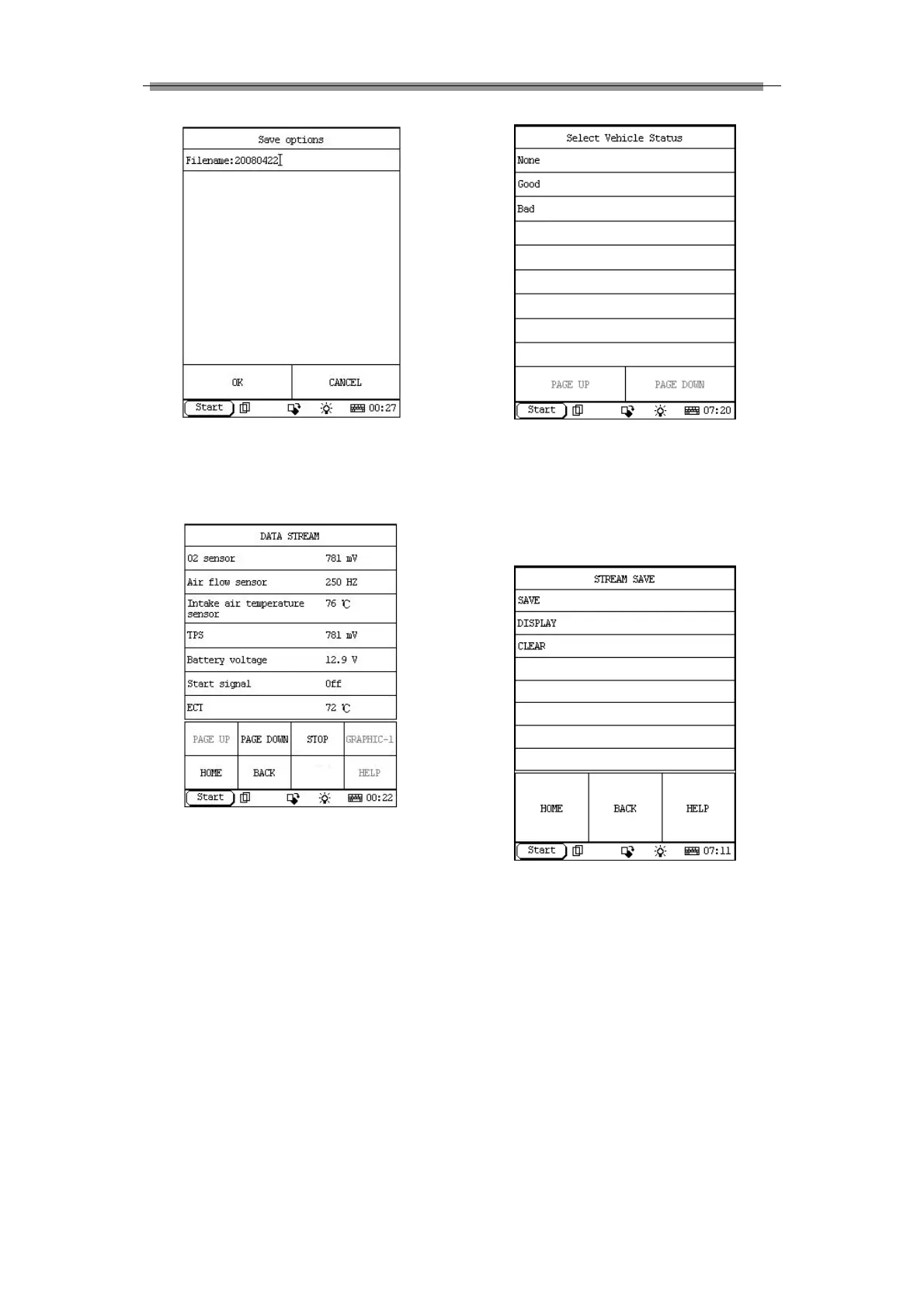
Figure 3-16
Click ‘OK’ at the bottom left of the interface to
begin saving the DataStream.
Figure 3-17
Click ‘STOP’ in Figure 3-17, DataStream of a
specific duration (10 minutes at most) has been
saved. The below interface will appear:
Figure 3-18
User could judge working status of the vehicle
and select None/Good/Bad accordingly (see
figure 3-18). Click ‘Good’ for example, ‘Stream
save’ interface will appear (see figure 3-19).
Figure 3-19
Click ‘DISPLAY’ to view the saved DataStream of
the specific duration.
3.2.4.2 Display DataStream
To display/view DataStream records, make sure
X-431IV enters Read DataStream function menu.



 To Next Page