28
LAUNCH X-431 PAD V
User's Manual
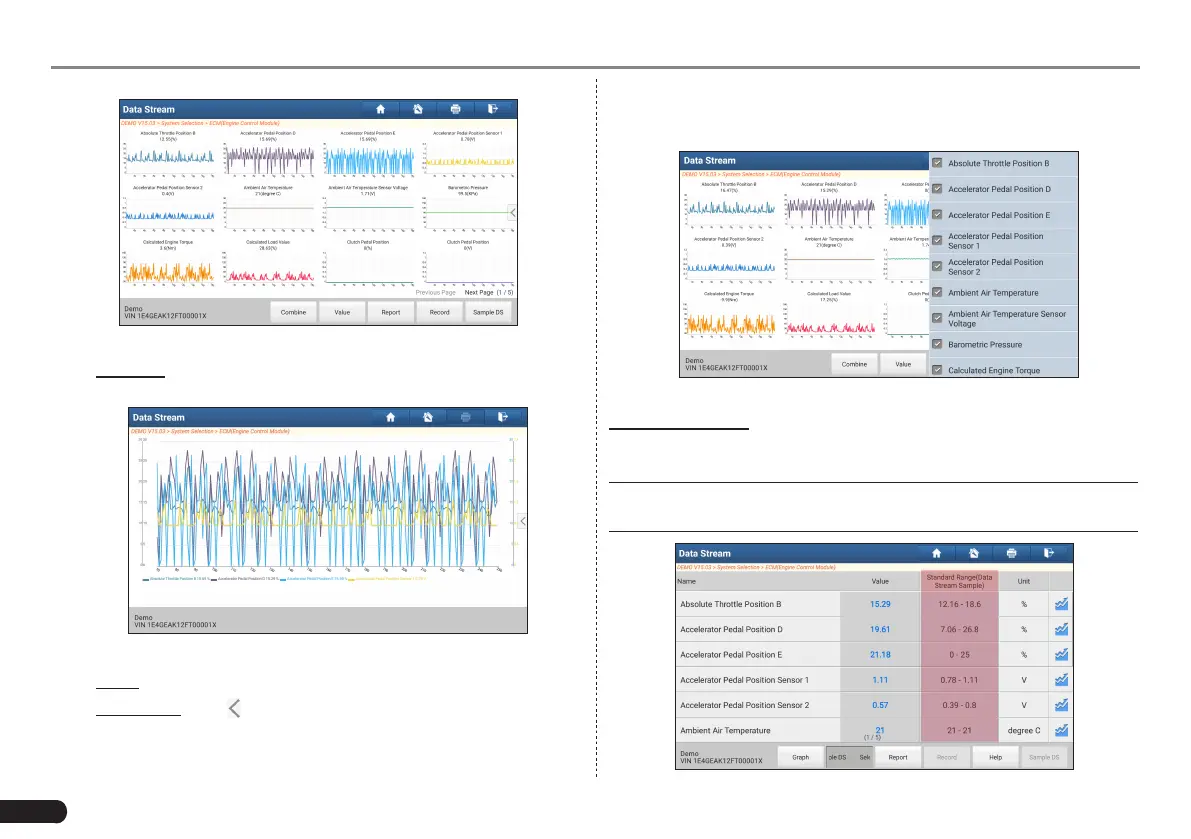
Fig. 5-31
• Combine: This option is mostly used in graph merge status for
data comparison.
Fig. 5-32
• Value: Tap to display the parameters in texts.
• Customize: Tap , a pull-down list of the data stream items
appears on the screen. Select (Maximum 8 data stream items
can be selected)/deselect the desired items and then screen
will display/remove the waveforms corresponding to these items
immediately.
Fig. 5-33
Select Sample DS: Tap it to select the sample DS le, the values you
customized and saved in process of DS sampling will be imported into
the “Standard Range”(See below) column for your comparison.
*Note: Before executing this function, you have to sample the values of
data stream items and save it as an sample DS le.



 To Next Page