We take no responsibility for any damage
caused by:
• incorrect use that is not in accordance
with the intended use of the machine;
• repairs carried out by non-authorised
service centres;
• tamperingwiththepowercord;
• tampering with any component of the
machine;
• use of non-genuine spare parts and ac-
cessories;
• failuretodescalethemachine;
• storagebelow4°C;
• usebelow5°C;
• useover40°C;
• usenon-compatiblecapsules.
Inthesecasesthewarrantywillbevoided.
Any damages caused to the machine due
to failure to follow the instructions given in
thisbookletarenotcoveredbywarranty.
UNPACKING AND POSITIONING
1
Given the size and weight of the machine, its
removal from the packaging, positioning and
stabilizing should be performed by two people.
2
Remove the machine from the packaging by
putting pressure on the side protections and
pulling upwards.
3
Position the machine on a dry, at, horizontal
and stable surface, away from water, ames and
sources of heat.
STARTING THE MACHINE
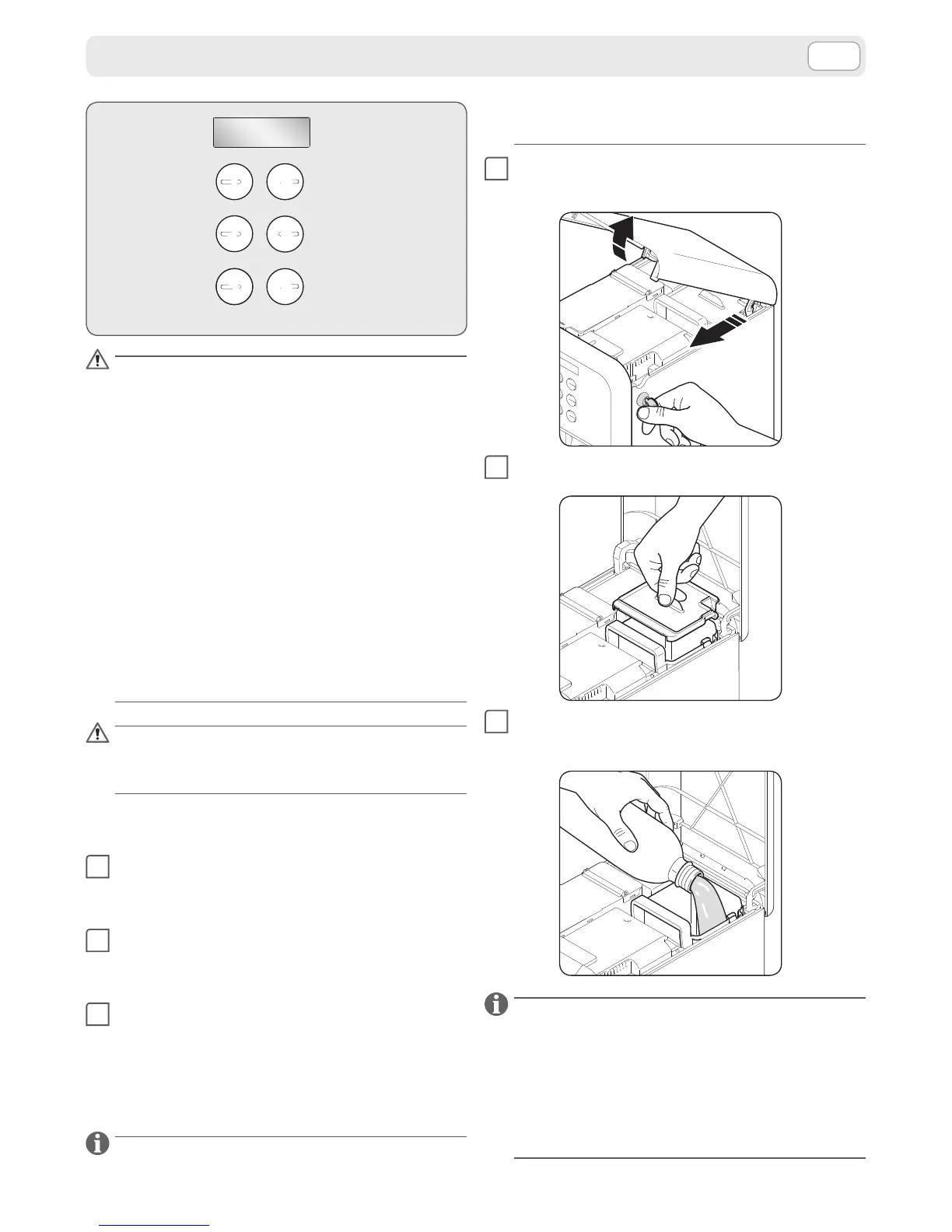
The water tank is positioned inside the machine.
To access the tank the top door must be opened
which has a key operated lock.
1
Turn the key clockwise to open the door.
Turn the key anti-clockwise to close the door.
2
Lift and remove the lid of the water tank.
3
Fill the water tank using only non-carbonated
fresh drinking water.
Use of a water lter (optional accessory) improves
water quality and extends the life of the appliance.
Use the AquaAroma Crema Brita® lter for Lavazza.
To insert the lter follow the instructions leaet that
comes with the accessory. To replace the lter, refer
to the deadlines specied on the lter instruction-
sheet provided with the tting.




 To Next Page