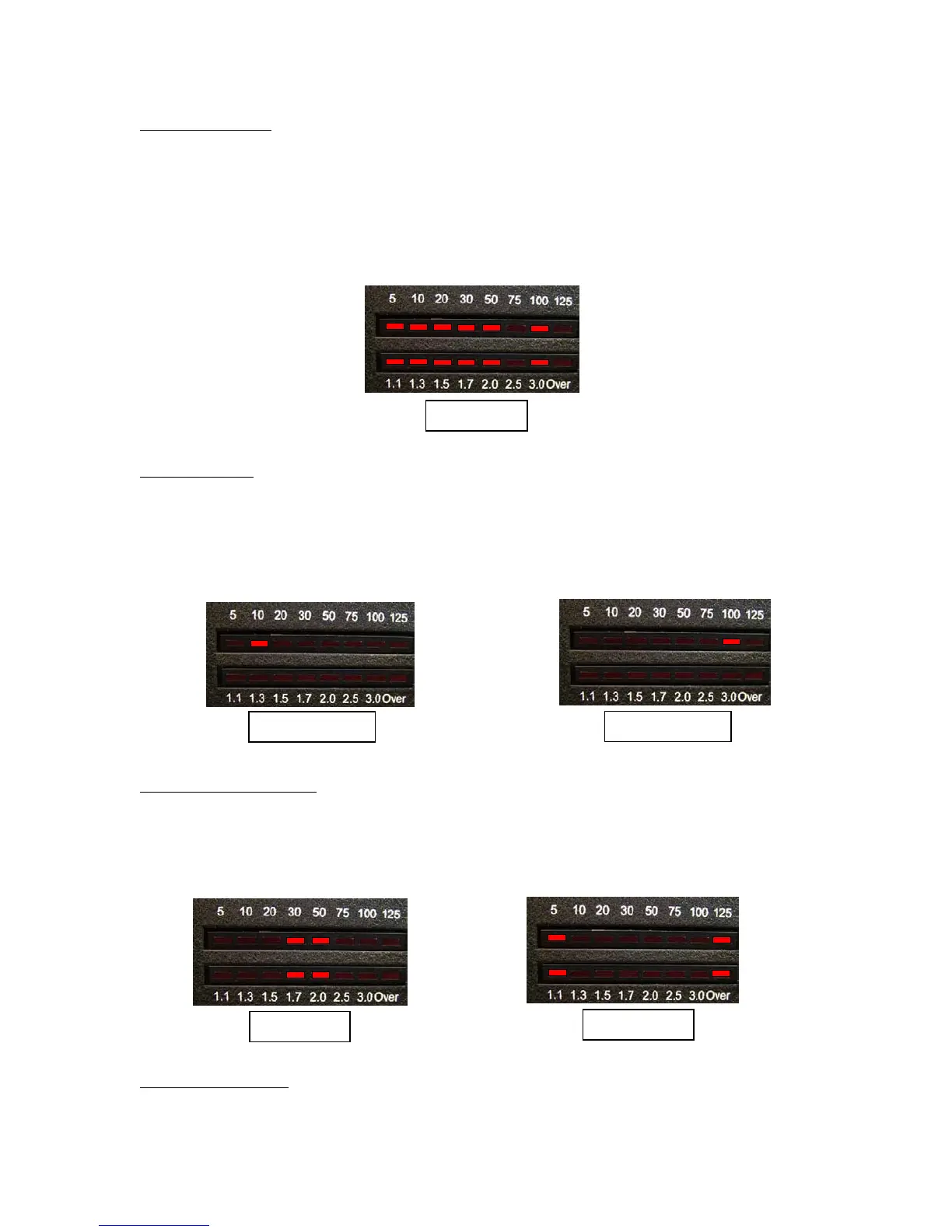
Peak Mode On/Off: the LED wattmeter will read in average or peak watts. Average mode is most
suitable for 100% duty cycle modes like FM or RTTY. Peak mode is most suitable for modes in
which the amplitude varies, such as SSB or AM. The default is average mode.
To toggle between these two modes, press and release the Func button. Then press and release
the C Up button. You will see the highest power LED "float" behind the others, indicating peak
mode. Repeat this process to toggle back to Average mode, shown by the absence of the
"floating" LED.
Peak Mode
Wattmeter Scale
: the LED wattmeter will indicate 12.5 or 125 watts maximum; the default is 125
watts. You will probably want to use the 12.5 watt scale when operating QRP to provide greater
resolution. To toggle between these two scales, press and release the Func button. Then press
and release the L Up button. The LED marked "10" or "100" will light momentarily to indicate
the 12.5 or 125 watt scale, respectively.
100-Watt Scale
12.5 Watt Scale
Automatic Tuning Mode
: you can set your AT-100Pro to automatically begin a tuning cycle
whenever the SWR exceeds a value you set, or you can set it to semi-automatic, to tune only
when you begin a tuning cycle by pressing the Tune button. The default is Auto mode. To toggle
between Auto and Semi-auto modes, press and release the Func button. Then, press and release
the C Dn button. The LEDs will show the following patterns to indicate Auto and Semi mode:
Semi Mode
Auto Mode
Auto Tune Threshold
: You can set the SWR at which an automatic tuning cycle will begin. press
and release the Func button. Then press and release the L Dn button. The SWR meter will show
10



 To Next Page